

It has been a while since I’ve written a technical article and my Vista laptop reminded me tonight just how much the Windows Update process has improved. Not very earth shattering on the surface, but very elegant and streamlined to put most of the functionality at the fingertips. Click on the images to zoom in.
The first, and most important, change that I cannot actually show you was the one reminding me that there is an update available. Consumers and businesses do not have a special mark on their calendar for “Second Tuesday” and most never bother to click on the link to install Windows security updates. Most even ask me: “Should I install those?” I have to say I cannot blame them, have you seen a workstation lately? It has at least five items all screaming to be enabled, upgraded, patched, refreshed or looked at. I can say with a small level of certainty that the lower right hand corner of the screen has permanently been placed out of focus for many Windows users because of its continuous annoyance.
Vista, to its credit, makes the availability of the security patch front and center. Mine came with a large yellow bar asking me to update my Windows Vista. Nice touch. When I clicked on it I was taken directly to the Control Panel for Windows Update. As you can tell, it is quite clear as to what is important and why:
“Always install the latest updates to enhance your computer’s security and performance”
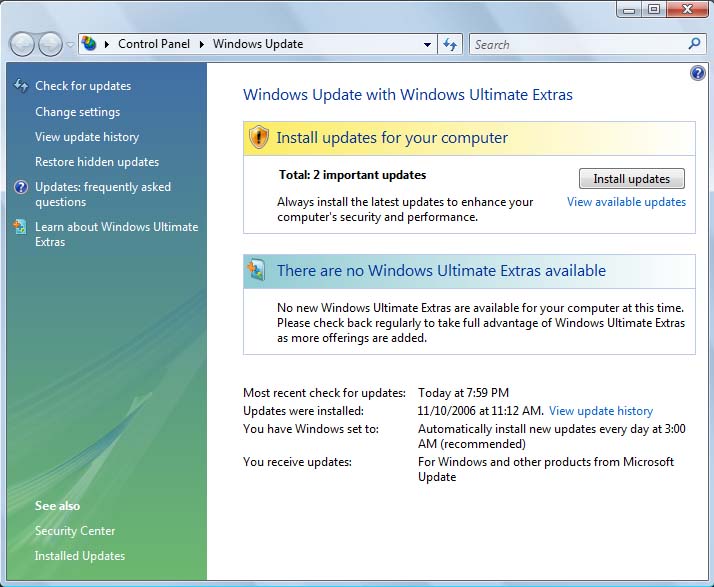
Now you can actually see the available updates in full detail by clicking on View available updates.
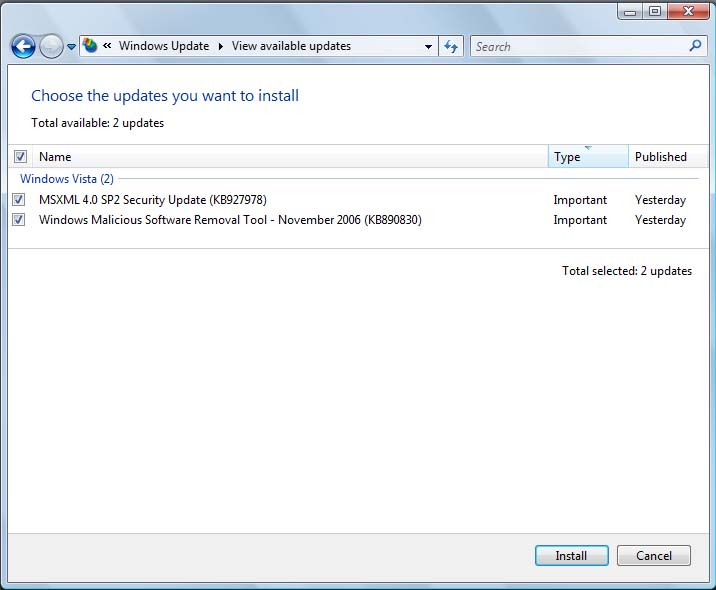
Check the ones you wish to install and click on the Install button.
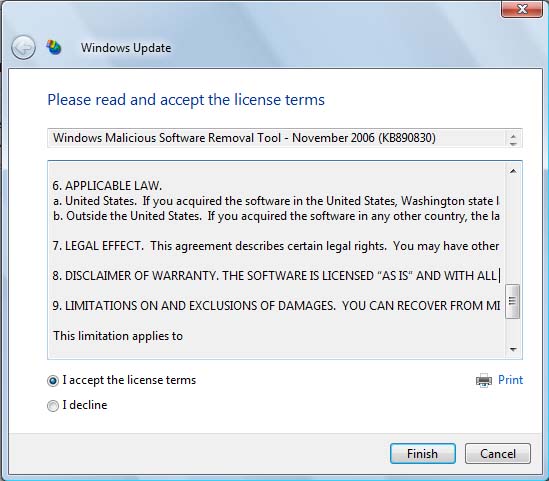
You’re presented with a license to install updates. Still a bug there, as you can tell the textbox only has vertical scroll although the license text itself continues to roll on. They either need to turn on the wrapping in the text area or add in a horizontal scrollbar. On the plus side, you can print the license agreement.
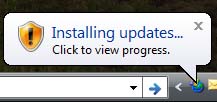
Click on Finish and the update process gets started.
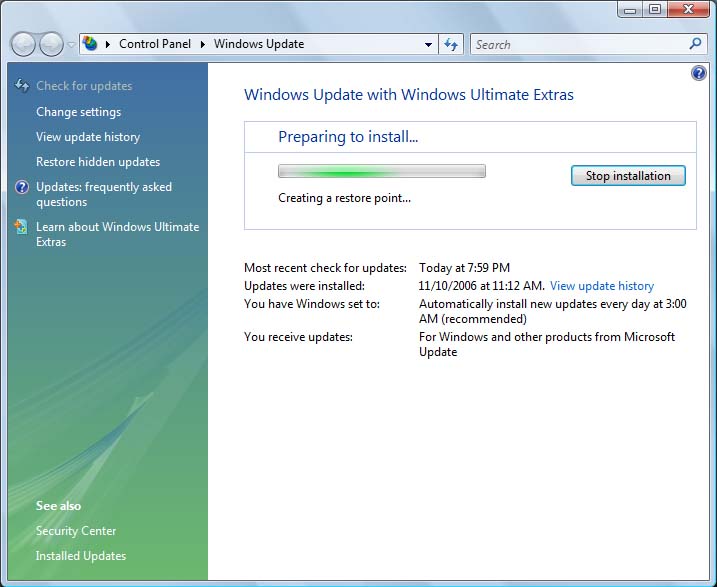
If you want to look at the details “Click to view progress.” cloud does give quite a bit of details. It gives you an idea of your current patching process. Mine for example is set to apply updates at 3:00 AM automatically. I can see my update history and literally everything related to patching in Vista off the single control panel. Very slick.
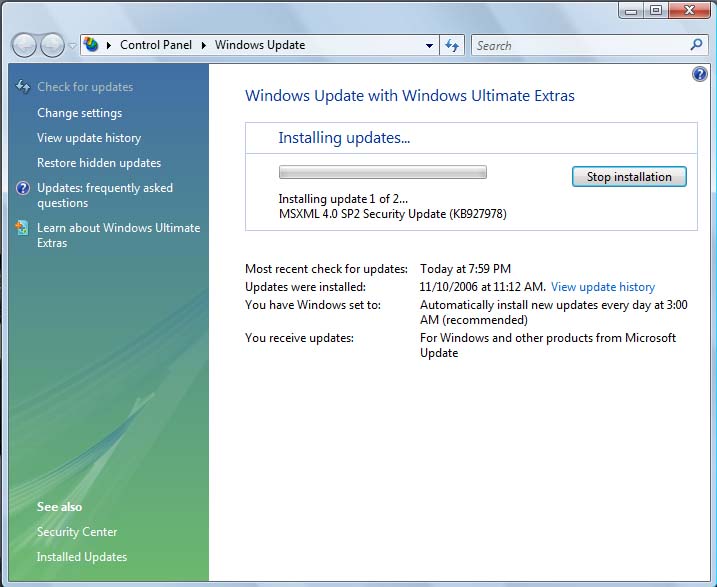
Ahh… watching the security patch on a beta system… we’ve certainly made it far.
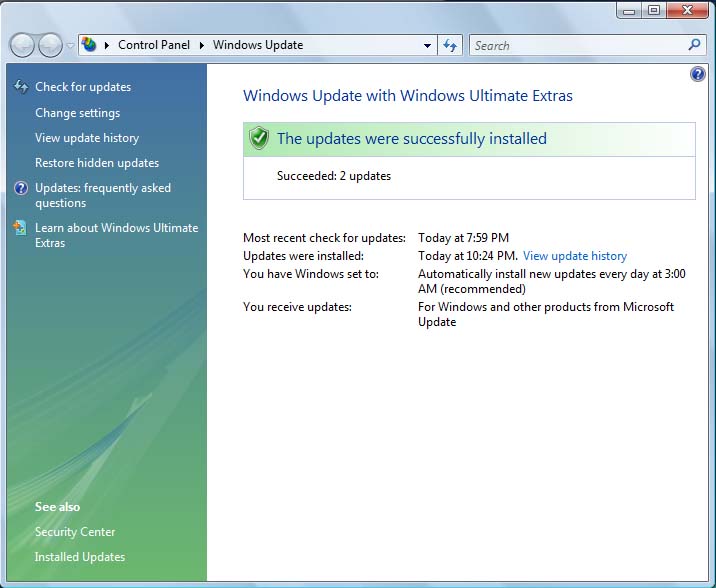
And we’re finished!
Just to check, let me see which updates I have made:
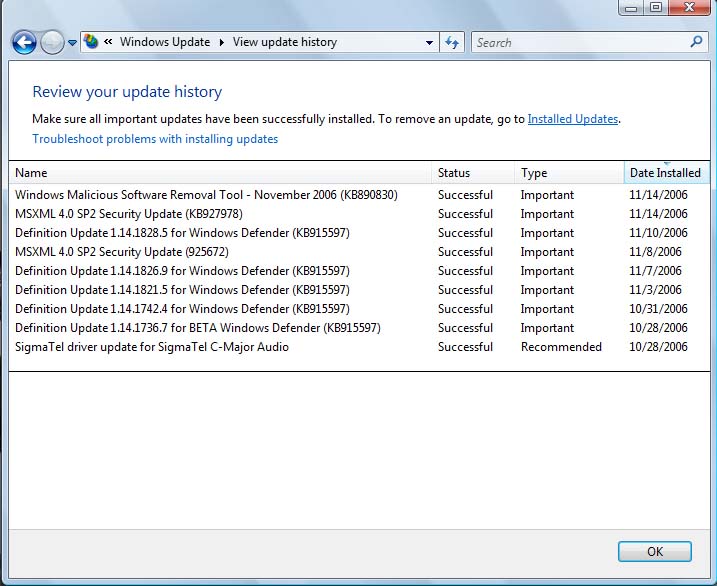
Every now and then you will have to roll back a patch, this will not change with Vista. In the past you had to go through the Control Panel, Add/Remove Programs panel, check the box to show updates and then navigate down to the KB article. As you can tell from the above the accessibility has really improved.
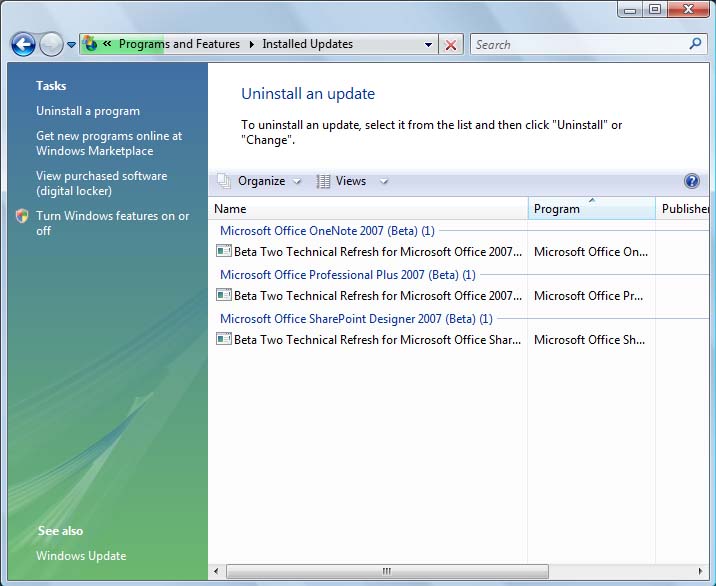
And the screen we all hope we never have to see is very interesting as well. It groups into categories (Organize dropdown) so you can quickly find your program and uninstall the problematic patch.
Not earth shattering but I dig it. The entire process seems thought through and presented in a way that a user will get more information on their fingertips without being overloaded with unnecessary details that would discourage patching.