Microsoft Small Business Incentives

Uncategorized
Comments Off on Microsoft Small Business Incentives

Eric Ligman covered the news of the new incentives program Microsoft is offering to the small business. Starting October 17, 2005, qualified purchases (anotherwords, Office, SBS & SBS CAL’s) will entitle the small business to a given amount of $$ towards IT consulting fees. To dumb it down even further, it is possible to purchase SBS and have Microsoft compensate the IT consultant for the installation so you don’t have to.

The Microsoft Office 2003 and Windows Small Business Server 2003 IT Services Promotion is a way for businesses that purchase a minimum of five qualifying* Microsoft Office 2003 licenses or one Microsoft Windows Small Business Server 2003 license, together or as stand-alone products, to receive subsidies from Microsoft to use toward information technology (IT) consultant services such as software installation, training and more.

Subsidies for small-business customers are as follows:
• Companies that purchase a Microsoft Windows Small Business Server 2003 license through Open Value may be eligible to receive $100 (U.S.) in IT services subsidy dollars per license.
• Businesses that purchase at least five qualifying* Microsoft Office 2003 licenses through Open Value may be eligible to receive up to $100 (U.S.) in IT services subsidy dollars per license.
• Businesses that purchase a minimum of both five qualifying* Microsoft Office 2003 licenses and one Microsoft Windows Small Business Server 2003 license through Open Value may be eligible to receive up to $125 (U.S.) in IT services subsidy dollars per license.

Correction: Qualifying purchases include regular Office, SBS & SBS CAL’s as well as the same with Software Assurance. I incorrectly stated this incentive only promoted Software Assurance sales.

Press Release
Eric Ligman’s Announcement

Vladville features MSN Alerts

Uncategorized
2 Comments

Just when you thought there weren’t enough ways to keep in touch with everything on Vladville, here come MSN Alerts. Clicking on the Alert Me link below will allow you to receive MSN Messenger alerts every time a new story is posted on Vlaville.

MSN Alerts

Update:
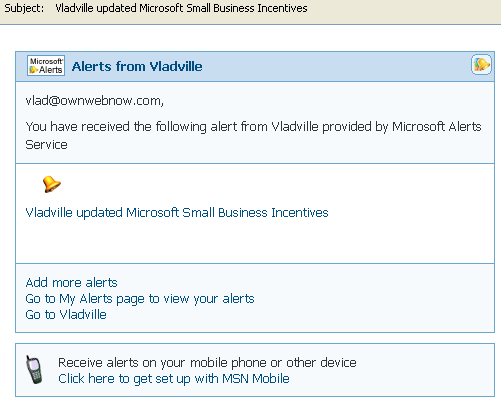
I just got my first MSN Update from Vladville. Very cool:

CA Reseller Webcast Tomorrow

Uncategorized
Comments Off on CA Reseller Webcast Tomorrow


If you’re a reseller you might find this webcast relevant: CA is holding a reseller-exclusive webcast tomorrow (10/11/2005, noon-1PM EST).

Computer Associates International, Inc. (CA) will be introducing release 2 of its Business Protection Suites for Microsoft Small Business Server and Windows Server System, as well as its new SMB Specialist Program. The Suites and the program will be launched on October 14, 2005.

Click here to register.

Mobilising Small Business Webcast

Uncategorized
2 Comments


Next Monday (17th October) we will be hosting another LiveMeeting for our Partners. This time the topic will be “Mobilising Small Business Server 2003”. The webcast will be broadcast 4pm – 5pm and will also be available for offline viewing afterwards.

The webcast will be presented by Scott Millar of Exactive Ltd. Scott has a lot of experience with SBS2003 and Windows Mobile and will be giving an overview of the mobile capabilities of Small Business Server and how it integrates with Windows Mobile. Scott will also provide an insight into some of the customer scenarios he has come across, gotchas to watch out for and additional value that you can bring to your customers.

Click here to attend this event. (Next Monday)

Something expensive, something free

Uncategorized
Comments Off on Something expensive, something free

Found two things today that may be interesting to everyone, depending on the depth of your pocket.

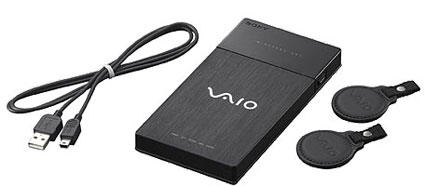
First one is the Sony Vaio VGP-UHDM08 80GB external drive with crypto support through wireless keychains. I see people walking around the airport with their portable hard drives attached to laptops, and I wonder.. just how many of those have been left there with all the critical data sitting on it, unencrypted? Well, this little device comes with two keychains that lock it when you walk out of the range. Pretty ingenious, even if it is too expensive.

On the free side, have you ever wanted to run your own talk show? Well, Scoble seems to be impressed with the new Yahoo Podcast service. Looks pretty interesting, and free, but that beta type really hurts the eyes. Am I the only one reading “free mp3 storage locker” here?

Getting your code on

Uncategorized
Comments Off on Getting your code on

Nothing kills a boring Sunday afternoon like exploring new development environments. In a world where I could stop time, messing with these things would be fun but there is just too little time to dedicate to training, development and project management needed to pull anything decent off. I ran a 10K earlier this morning so I didn’t have much of a choice, here are my new toys:

AJAX – Asynchronous Javascript and XML is a new hot web application infrastructure that everyone is interested in, mostly because it looks cool and brings a look & feel of a desktop application to the web. Why would this be important? Well, say you were developing a new application. Do you want to test it with 6 different versions of Windows and worry about patching it, or would you rather have it on a rapidly deployable environment – such as the web? The answer is obvious. So what does AJAX actually do, in plain english?:

Ajax applications, on the other hand, can send requests to the web server to retrieve only the data that is needed, usually using SOAP or some other XML-based web services dialect. On the client, JavaScript processes the web server response. The result is a more responsive interface, since the amount of data interchanged between the web browser and web server is vastly reduced. Web server processing time is also saved, since much of it is done on the client.

Currently the most popular AJAX applications are courtesy of Google in the way of Gmail and Blogger. To put it in perspective, there was a discussion on SlashDot last week about how Google should port Star Office / Open Office to AJAX and the following brilliant comment really made my day: “Yes, please take a mature desktop application and port it to Javascript so I can run it in my web browser”

Windows Mobile 5 – On the other hand, I’ve been writing some applications for and I was very happy to see that Microsoft has a decent amount of “sales” training materials my PocketPC over at www.windowsmobiletraining.com site. It is primarily designed for PocketPC sales jockeys, but it does have a decent amount of information to help you understand all the advantages of the Windows Mobile 5 platform. If you’re more of a coder, there is a awesome $5 Windows Mobile 5 Development Evaluation Kit:

  • Windows Mobile 5.0 SDK for Pocket PC
  • Windows Mobile 5.0 SDK for Smartphone
  • Visual Studio 2005 Beta 2
  • ActiveSync version 4.0
  • Microsoft Device Emulator 1.0 Community Preview
  • Windows Mobile 5.0 and Visual Studio 2005 white papers and videos
  • Information regarding new Windows Mobile partnering opportunities

There also appears to be a fairly active blog on Windows Mobile for Partners that might be worth a look. It appears to be fairly UK centric so prepare to be depressed if you’re in the USA, the third-world of mobile devices.

I’ve updated the links page and added the “email me” section as well. Nothing like a slow weekend.

SBS Podcast #3

Uncategorized
7 Comments


SBS Podcast #3 was uploaded earlier this morning and the best news is that they are getting some real audio equipment. So great news to some of you that have complained about the voice quality, apparently it’s an 8k LiveMeeting session. They had over 250 downloads of the previous episode, over half thanks to Susan Bradley.

Here is a brief summary of the podcast:

Support for SBS in Vmware

“What support?” – as many of you already know, PSS does not support SBS issues you face with Vmware and will request that you replicate the issue inside Virtual Server or on a real system. One caveat was that you will face performance issues but a number of people still do it. They brought up a case in which a customer runs the Terminal Server inside of a Virtual Server running on top of SBS 2003, cautioning that they had a fairly powerful system.

They referenced the KB article regarding support policy Support policy for Microsoft software running in non-Microsoft hardware virtualization software:
http://support.microsoft.com/default.aspx?scid=kb;en-us;897615

On whether you will actually see SBS supported in a virtual environment: because SBS components must be capable of running inside of a virtual machine there is no way to guarantee that the entire system will work unless all the components work. One example that was provided was Microsoft Exchange, part of SBS, which was not supported inside of a virtual machine until Service Pack 2*.

Bare metal SBS Restore
People that have proper backups do not call PSS. They joked many times about how only one guy that called PSS actually had a disaster recovery scenario setup. Among best practices, SBS podcast team suggested the use of standard ntbackup in addition frequent ASR (automated system recovery) backups.

SBS team cautioned against use of imaging solution as most of them do not guarantee that you can restore a domain controller and most are not recommended on a server. Disaster recovery conversation was pretty valuable, discussing active directory backups and the need for the secondary domain controller.

Migrating Public Folders
Podcast folks discussed several ways to migrate the public folder content without “forklifting” the database. One of the more popular solutions was to copy all the public folder items into a mailbox and export it as pst, then merge it back on the new server. Another solution would be to export the entire contents to a csv, which does get most of the flat text content out. Finally, they discussed the option of accessing public folders with PFDavAdmin and MFCMAPI utilities.

Vlad note: If the PFDavAdmin and MFCMAPI terms are new to you please do not attempt to use these.

Entourage SP2

Microsoft Entourage 2004 SP2 brings the same look feel and most options of Outlook to Entourage as a true Exchange Client. Sync speed has been improved and you’re allowed to have multiple address books and calendars. Previously to SP2 opening someone elses calendar would merge the content of the two calendars together. Exciting. Other enhancements include the ability to browse the GAL and organizational structure, faster Public Folder browsing, calendar sharing, ability to setup sharing and delegation and grouping messages by thread/conversation.

As for better integration as a true Exchange client: If the domain password is about to expire you will now receive a notice inside Entourage. You cannot change the password there (go through OWA) but at least you’ll know about it before you’re locked out of the server.

Office 2003 SP2
Brief but funny discussion on Office 2003 SP2: Remember to reboot the system after you install SP2. Otherwise you will not be able to send any mail or access your outgoing items.

Issue of the Office 2003 SP2 deployment via WSUS was brought up, as it apparently failed for a number of people. Podcast folks promised to investigate.

DPM agent on SBS 2003
Podcast team discussed DPM and called it “VSS on steroids” which is a fairly accurate description. You can find more details on that here.

Pretty good podcast, even given the audio quality it was still fairly entertaining – go ahead and download it. If it will help you any, look at this as your weekly TS2* meeting where you can ask questions and get a live response to them.

* Correction = Exchange was not supported in a virtual environment until Service Pack 2
** Not TS2 = This is not a TS2/SST event, but it is a live broadcast with an opportunity to ask questions both ahead and during the taping. Any live forum that accepts questions and get experts to answer them gets an A+ in my book.


Google launches Google Reader

Uncategorized
1 Comment


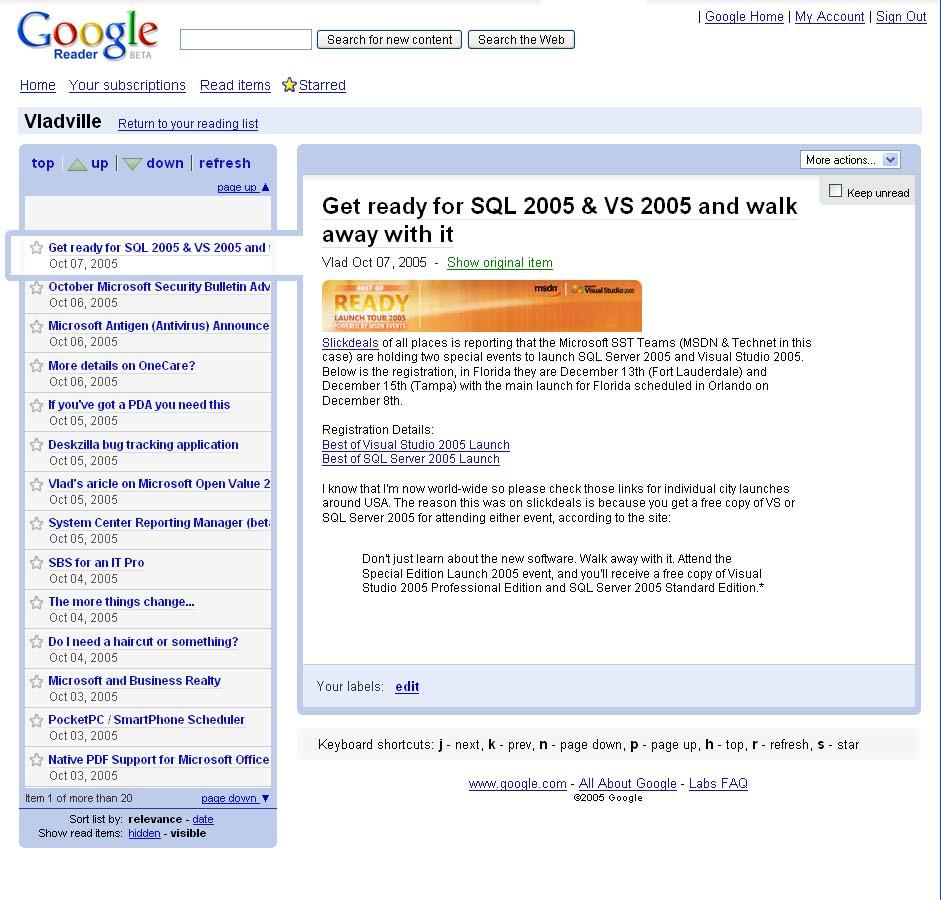
Another day, another Google beta project. This time its the Google Reader, an AJAX based web application intended for RSS reading over the web. Played with it for a few minutes but to be honest, I don’t find it very impressive and will stick with my Google Desktop way of subscribing to feeds. It does seem to be fairly integrated with Blogger and Gmail, however, so it does bring up an interesting “bundling” effect that is slowly but surely moving a lot of the classic desktop applications to the web. Makes you wonder how much harder desktop application ISVs will have to work to compete with AJAX and its ever-growing capabilities to deliver rich and rapidly deployable apps seemingly on-demand.

I know I’m not waiting, got a pile of AJAX and .NET books ready to go.

Get ready for SQL 2005 & VS 2005 and walk away with it

Uncategorized
Comments Off on Get ready for SQL 2005 & VS 2005 and walk away with it


Slickdeals of all places is reporting that the Microsoft SST Teams (MSDN & Technet in this case) are holding two special events to launch SQL Server 2005 and Visual Studio 2005. Below is the registration, in Florida they are December 13th (Fort Lauderdale) and December 15th (Tampa) with the main launch for Florida scheduled in Orlando on December 8th.

Registration Details:
Best of Visual Studio 2005 Launch
Best of SQL Server 2005 Launch

I know that I’m now world-wide so please check those links for individual city launches around USA. The reason this was on slickdeals is because you get a free copy of VS or SQL Server 2005 for attending either event, according to the site:

Don’t just learn about the new software. Walk away with it. Attend the Special Edition Launch 2005 event, and you’ll receive a free copy of Visual Studio 2005 Professional Edition and SQL Server 2005 Standard Edition.*

Get ready for SQL 2005 & VS 2005 and walk away with it

Uncategorized
Comments Off on Get ready for SQL 2005 & VS 2005 and walk away with it


Slickdeals of all places is reporting that the Microsoft SST Teams (MSDN & Technet in this case) are holding two special events to launch SQL Server 2005 and Visual Studio 2005. Below is the registration, in Florida they are December 13th (Fort Lauderdale) and December 15th (Tampa) with the main launch for Florida scheduled in Orlando on December 8th.

Registration Details:
Best of Visual Studio 2005 Launch
Best of SQL Server 2005 Launch

I know that I’m now world-wide so please check those links for individual city launches around USA. The reason this was on slickdeals is because you get a free copy of VS or SQL Server 2005 for attending either event, according to the site:

Don’t just learn about the new software. Walk away with it. Attend the Special Edition Launch 2005 event, and you’ll receive a free copy of Visual Studio 2005 Professional Edition and SQL Server 2005 Standard Edition.*