Best of TechEd Monday

Exchange
Comments Off on Best of TechEd Monday

Untitled document

I just had to share this one for my fellow Exchange guys. We just finished the MSG205  Microsoft Exchange Server 2007: The Next Generation of Exchange presentation by Terry Myerson of the Exchange team. During his presentation he said (and DO NOT quote this, I am paraphrasing):

“And Public Folders are present in 2007. They will be present in the future versions too.”

Forget the PF controversy for a moment. As he said the above about two people cheered it, followed by a second of silence and then a resounding boo from the entire room. Right now in the presentation on SharePoint 2007 and looking at the technical overview…. can we just let PFs die? I’m sorry if you hired incompetent programmers that designed information management software on top of public folders but its time to get modern.

Update: Thanks for all the emails folks. Glad you're enjoying the updates. Blog comments are off, will remain off till I get back to Orlando with time to moderate them.

Live from TechEd 2006

Events
Comments Off on Live from TechEd 2006

Untitled document

WARNING: Post not approved, sponsored or otherwise consented to by Microsoft; solely my observations.

Here I am at Microsoft TechEd 2006, the premier event for us in the business of running Microsoft-powered networks. Here is a glimpse for those of you that couldn’t make it due to time, budget, PHB concerns. This year TechEd is in Boston and geeks from all over the world (developers, app guys, infrastructure) are getting together to see what Microsoft has up their sleve. Ray Ozzie, Bob Muglia and Chris Capossela are delivering the keynote later tonight.

IMG_1817

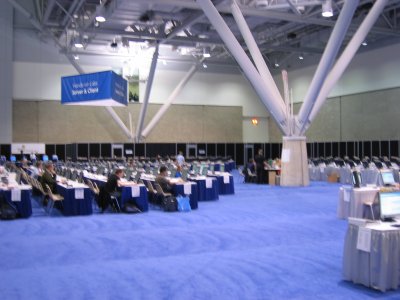
Registration hall, lines upon lines of people waiting to be checked in.

IMG_1816

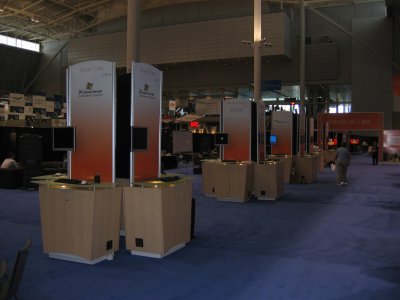
Main exposition hall welcomes you with a big rug of Microsoft Virtualization solutions. I’m guessing about 200 sq ft, easilly bigger than my office.

IMG_1815

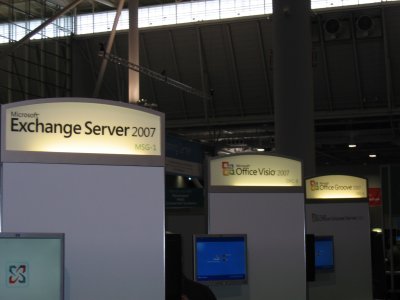
Exposition Hall has some really cool stuff. Here are somet things available. Many product groups are represented and have demo workstations for ambasadors, MVPs and other volunteers to demonstrate new technologies. Exchange 2007, Visio 2007 and Grove 2007 below.

IMG_1806

Nearly every core server technology is here, from Active Directory on up to PowerShell  Nice thing about these booths is that you can meet people that are close to the product. I stopped by the DPM booth to pick up a brochure (haven’t seen it since Beta) and got to meet Jason Buffington, Sr. Technical Product Manager for the product. Former MVP too

IMG_1807

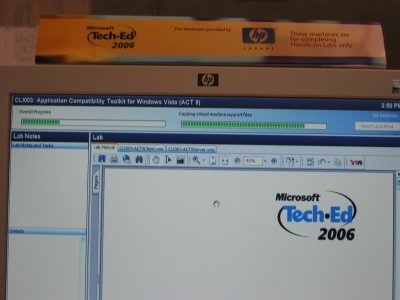
Each big Microsoft division has a hands on lab presence. Table covers depict the product you can try out, Vista below. Each one has a lab manual chained to the table with several to pick from! 

IMG_1808

Select a lab and the system automatically rolls out the lab for you. After you’re done you get taken to the evaluation.

IMG_1809

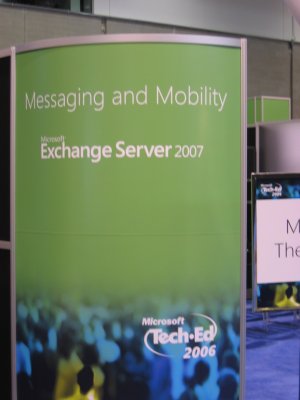
This is where I will likely be all week, Messaging and Mobility (and Office) – Hands On labs have everything here, nearly every app is present even CRM.

IMG_1811

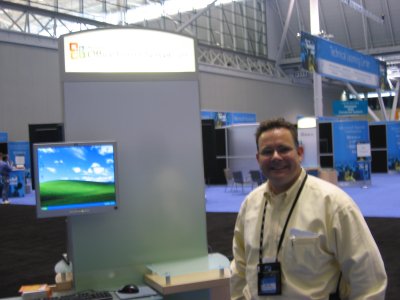
If you’re here, come say hello. I’ll be fielding questions at the Messaging and Mobility desk. It’s a little bit too early, no phones around at all!

IMG_1813

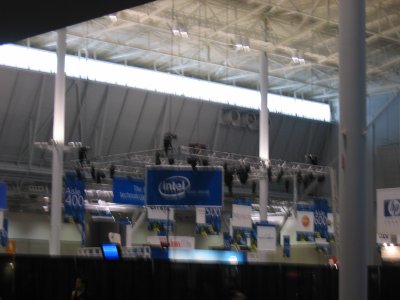
Intel is the platinum sponsor. I’ll get a better view for you tomorrow, the sponsor arena is huge but honestly seems to be a third of the entire hall, most of it is dedicated to learning, labs, booths, whiteboards and discussion / lounge.

IMG_1814

Mike Iem, who should be a familiar face to a number of you. Mike introduced me to the lady that “owns” (Microsoft speak for runs) the TechEd event. Over 7,000 expected for the keynote later tonight, over 12,000 expected in for tomorrow.

IMG_1812

Keep an eye on Bink and Neowin.net as they tend to have reporters at all of these. As for our little Exchange and SBS world, we’re here in full force. Susan Bradley is here, Terry Constable is here, Jeff Middleton will be here any day. We will try to fire off a podcast for you and give you a sense of what its like to be here. Stay tuned.

Off To Boston

Uncategorized
Comments Off on Off To Boston

I’m off to Boston for TechEd. Look here daily for updates, podcasts, pictures and more. Comments and such will be turned off since I have no time to moderate them and if you didn’t get on Shockey Monkey by now you’ll have to wait till I get back. TechEd promises to be a lot and I intend to get every bit out of it so I won’t be as available as usual. Email traffic only please.

Vlad, Live! in Boston in June & July

Events
8 Comments

Untitled document

Sounds like TicketMaster SPAM, doesn’t it? “Ticketmaster – Don’t miss Whitesnake!

I’ll be on the road a LOT over the next month, so if you’re coming to the same events or if you live in Boston or Dallas, stop by and say hello. Lunch, as always, is on me so let me know. Here is my tenative schedule:

June 11–17, Boston, Microsoft TechEd

July 16–19, Dallas, Working on the new DC

July 9–14, Boston, Microsoft Worldwide Partner Conference

So if you happen to be in the neighborhood please drop me an email and lets work out the scheduling. I’m pretty much available for anything other than TechEd nights since I intend to hit all the geek parties that happen there. For WWPC, count me in though, as I’m not the fan of Amy Luby’s geezer bands. Wonder who they dig up for entertainment this year, wonder if Foreigner or Blondie or Quiet Riot. God knows they put B-52’s back under by now.

Update: Florida groups; If there is anything you want from either of the two Microsoft events let me know.

Update 2: Dallas is in July, sorry. 

SBS vs. Linux: The Response from Email Battles

Linux, SMB
Comments Off on SBS vs. Linux: The Response from Email Battles

Untitled document

Brief response to the Email Battles story titled “Why Linux Servers Trump Windows SBS”  which in turn was a response to my earlier story about “Linux vs. SBS: Switch”; Their outright ignorance of what SBS provides not only demonstrates lack of understanding of the SBS platform but also misses the mark on the features that small businesses expect these days. At one point they even state:

“A Linux whitebox running only Postfix, qmail or Sendmail is relatively simple to manage. Need another mailserver? No problem. Just pull out your handy hard disk cloner. You'll be up-and-running in less than an hour. Same goes for firewalls, fileservers, and the rest.”

Sendmail, recently pulled from OpenBSD for perhaps the worst security record of any SMTP server ever written, is offered as an alternative. Sendmail, postfix, qmail, zmail and other Linux alternatives are very well compared with the Microsoft SMTP Service that ships with every Windows server. To turn them into a functional mail server you have to deploy a pop3/imap server, roll out your own webmail package, setup an SSL certificate on Apache, etc. Comparing that to an SBS solution (a 7 step wizard) is not simply a sad joke but the proof that for the most part Linux guys may be as clueless about Windows solutions as Microsoft is clueless about Linux and Open Source. I’m just the middle-man throwing some gasoline onto the fire!  

Here is my comment on the Email Battles post, I’ve talked to those guys a few times and they really are awesome folks but we have a long way to go in educating people just what the difference between the platforms is and what the advantages are:

I think that (many) readers misunderstood my message. It is simply that Microsoft chooses to pick a fight on the merits it cannot justify (stability, security) but never seems to crush the opposition on the qualities that are simply not available anywhere else.

As is evident by many comments on my blog, most Linux people simply do not understand what is in Microsoft Exchange, why anybody would consider SBS instead of a full blown Microsoft Windows 2003 Server + Microsoft Exchange 2003, the author of this response included. Microsoft Exchange + Windows 2003 would come in at over $1600 retail for the 5 users whereas Microsoft Windows Small Business Server (SBS) retails for $599 and comes with an easy way to deploy Exchange in less than 15 minutes. Not even the most seasoned Exchange Administrators are capable of deploying everything SBS does that quickly.

While I agree that commodity whiteboxes with Linux may be cheaper you are trading off functionality and easy configuration. For example, any Windows user can easilly find out how to add the email address, or a user, or a shared drive, or a new web page, etc on SBS. Can they do that on Windows 2003 Server? Not likely. On Linux, even with GUI (which shouldn't be installed on servers IMHO?) – not a chance.

It seems to me that most passionate of zealots also happen to be least informed and most base arguments on what they may have experienced several releases ago. It is as if I based all my arguments against Linux on Redhat 7.1. I will be preparing a lenghty article on SBS vs. Linux in terms of features that the small businesses are asking for:

Mobile device sync
Secure, mobile mail
Fully functional webmail
Intelligent file sharing
Service monitoring with plain English descriptions

Some person today tried to compare Outlook Web Access with Squirrelmail. That shows such utter ignorance of the technology and such poor understanding of competitive solutions that if such a quote came during a job interview he/she would be out the door before they could even say HEY! As IT Professionals, whether we sit on the Linux or Windows side of the bandwagon, we need to be able to evaluate both solutions and not constantly stick to our almost fanatical religious views of operating systems – there is a place for Linux, there is a place for Windows. If we cannot live in that harmony and understanding then perhaps we are no better than Mac users.

-Vlad

Linux vs. SBS: Switch!

Linux, Microsoft
37 Comments

Untitled document

Excellent point brought up in the comments section today by Josh:

For example, Microsoft wants to argue about stability vs. Linux. In nearly all Linux servers we manage that comparison is laughable. Now, compare RPC-over-HTTP functionality with Linux? You can’t, no such thing on Linux! Where is that among the facts?

This is something that I’ve tried to make very painfully clear in my Linux presentations for SBSers in Florida groups. Here is the thing about winning in small business, you have to know your customers. You also have to know your Microsoft and understand certain “facts”. So here is a little competitive howto on Linux vs. SBS.

Watch Where You Get Your Facts

First and most important thing to understand about Microsoft’s Get The Facts site is that those reports have been paid for by Microsoft and are to a large extent questionable at best and outright false in many respects. Second thing to remember is that those reports are not written or targeted for the SMB market at all – they are written to discourage enterprise and high-end markets from moving their commodity-line servers to Linux and discourage Unix-shops from going to Linux instead of Microsoft. If you’re an SBSer, you will not find your facts there.

Know Your SWOT

Know your strenghts, know your weaknesses… but more importantly know what is not your weakness.

Price

When bidding against Linux you are really competing against this: “Joe Consultant told us that Linux is free.” They are correct, many Linux distributions are free. So in most cases, it will be $599 vs. $0. For the purchase price that is. So on the face of things, Linux wins because its free.

When you dig a little deeper you find out that the “free” is the acquisition cost. If you are losing a client over $599 this is likely a client that you do not want as your business to begin with. If the server costs $1,800 and your labor to set them up and train them for a week will cost them another $4,000 that up-front licensing cost of $599 is going to be less than 10% of the total solution. This is generally what Microsoft talks about when they mention their TCO, total cost of ownership.

But we know our small business owners, don’t we? The same folks that will sign up for a plan with a “free cell phone” (MSRP $99) but agree to a two year contract that costs $20 a month more. If you really want to compete against Linux give them a 10% discount on your labor which will outright displace the licensing costs. Show them that they will be paying the Microsoft penalty anyhow as its very hard to impossible to buy a PC without a Microsoft OS to begin with. 

Upgrades and Migrations

When you bid against Linux you bid against free upgrades, forever, and easy migrations. Thats at least what gets put on the paper and what the Linux guy will say. The truth is much different. Here are a few facts that you might want to consider about some of the most popular Linux distributions out there:

Fedora – Fedora is a free version of Redhat Linux. Redhat Enterprise Linux is a full tested and supported distribution of Linux that retails between $350 and $3000 per server. So whats the difference? Redhat uses Fedora as their bleeding edge distribution, they use it to roll out experimental packages and see what breaks. The software itself is solid, but it is not elegant by a long shot. For example, consider that there is no migration path from version 3 to 4 to 5 – if you Google for “upgrade from FC3 to FC4” you will find a number of hacks that show you how to fool the dependancy checks and hack your way up. Not that it won’t work, but what happens if it fails? Remember, unsupported. There is literally nobody you can call.

Debian – Used to be most popular but recently displaced by its Ubuntu cousin. The trick with Debian is that they are so fanatical about being free that they eliminate any commercial or restricted software (or non GNU) from the base distribution. It is a severly outdated technology (in terms of even years) that nearly everyone seriously running Debian is doing so with the untested– or experimental– branches of the code. Even if you’re not a Linux person you can imagine what thats like. Again, virtually unsupported except for the MVP-like effort.

Gentoo – The concept here is that this is the most optimized version of Linux you can get because virtually everything from kernel on up is upgraded by running an emerge command. What emerge actually does is pretty cool – it downloads the source code along with a spec and compiles it against your hardware – so on a fairly loaded box you are constantly affecting the performance by rolling out your own code. Do you trust that your security patches are deployed as full recompiles of the source code? I don’t even trust most binary patches.

Ubuntu – The darling of the Linux world at the moment. Built on the Debian core with the pretty integrated interfaces and its claim to fame is the ability to roll out LAMP (Linux, Apache, MySQL and PHP) in 15 minutes. Pretty, but unsupported.

Those are the basics of Linux and distributions you will likely come up against. Every now and then someone will propose an Enterprise Linux version, a free community recompile of the popular Redhat Enterprise Linux. Distributions such as CentOS and WhiteBox Enterprise Linux. They are free, but again, unsupported as well.

So here is a real world scenario for you. The upgrade for the above is free– in all cases. They will download an ISO, burn it, stick it in a Linux server and after the reboot the system will be upgraded. All free! Yay.

As far as the technical discussion is concerned, they are right. Here is the dirty secret behind this though that nobody talks about: For most scenarios Linux doesn’t migrate, Linux overwrites. Now lets say your consultant tweaked the /etc/rc.d/rc.local file to automatically delete specific files on the server – generally a Linux distro upgrade would put in the new file in the place and make the original one a rc.local.bak. Let’s say you wanted something special done with your web server – your /etc/httpd/conf/httpd.conf file would have two options – it would get overwritten, or they would copy an httpd.conf.orig or tweak it in another way.

So yes, the upgrade is free. But the time to get this done is not. More importantly, because these migrations are generally done on per-site basis (ok, these guys have Redhat, these are on Fedora, these are on Gentoo) the migration checklist is all but nonexistant.

The truth about Linux deployments is that they are very much done on a per-case, needs basis. The beauty of the system (unlimited flexibility) is also its dagger because by endlessly tweaking the system the documentation part of the setup goes out the window. And when the migration goes bad with the freebies above you will likely have only newsgroups and mailing lists to turn to.

Finally, migrations nearly always include more than the base OS. The reason you deploy a Linux system is to get a flexible, fast and cost effective server. Well, Linux developers don’t think the same way business owners do. Linux developers try to adapt new technology, provide the newest features, create a system that is easiest and fastest to develop for. So when that new distribution comes with MySQL 5.0 and PHP 5.0 – will your PHP 4 script designed on MySQL 3.1 work? Maybe, maybe not. Who do you contact to find out – the webmaster that took the script from some random site? Nope. The commercial software developer? Unlikely, they only support official distributions like Redhat Enterprise Linux and SuSe. Who do you turn to? Good question to ask while providing a competitive bid.

How do you do application migration compatibility tests on Linux? You install the new version and try to hack it into working. If you’re lucky, it will just work. If you’re not lucky, whats the alternative? Another question for the stack. This is not the U part of FUD in uncertainty, this is something that there is no good, reliable, documented process in Linux. For years Linux distributions have tried to fight amongst themselves to develop a unified way that Linux is deployed – with same file system layout, dependancy checks, package management. Today you’re more likely to find multiple package management systems (yum up2date, apt).

Features

For the most part this is your biggest strength. Small business owners and business people in general have habbits that are hard to change. Going from a Windows world to a Linux world is a big transition in anything more complex than a P2P environment. Its easy to replace a pop3 server with an onsite dovecot deployment. But when you’re selling a new server you are selling new functionality. Here are things that you will not find in Linux.

Exchange – Biggest advantage. There are no decent webmail programs for Linux – the best one to date is Scalix and it costs about as much as Exchange does. It does not provide RPC-over-HTTP, it does not provide cached mode, it does not provide advanced connectivity to mobile devices.

ISA – For the most part almost all Linux firewalls are connection based firewalls, nothing provides application-level security. So yes, if you want to block people from going to certain sites, Linux will cut it. Try to set those restrictions in place per employee per hour (ie, no espn updates for Joe between 9AM and Noon) you’ll be SOL.

WSUS – Exists on commercial Linux distributions as a Satellite server but almost all are desktop triggered up2date updates via cron – no ability to see which software is running on which system and no ability to restrict what goes on which workstation without manually adjusting workstations on per-case basis. No grouping. No reporting on which patches failed and no reporting on what may be out of compliance. These could be hacked together but do you really want to hack your security solutions together? Do you think your customers would?

IIS – The biggest reason to deploy LAMP is to get PHP and a free SQL server. Both of those run quite reliably on Windows as well and you can install WAMP on Windows. My personal dev environment for Linux is based on Vertrigo server which rolls out as a single install. So if thats all you need to deploy a new forum, blog, or a survey package your customer saw somewhere – this is the way to do it. And it’s free too. But feature is an advantage here – you have a choice. ASP or PHP? On Linux you have no ASP advantage (they use Chilisoft, Sun’s poor hack of ASP) nor do they have any .NET compatibilities without hacking in mono – but skip back to migrations and upgrades – whats the guarantee that your app will run on a hacked server? Now compare that with IIS. If you’re really familiar with IIS this is almost impossible to do. The cost of a second IIS server is not that great to begin with, Windows 2003 Server Web Edition retails for less than $300 which is likely less than two hours of any consultants time. You’d end up charging them more to download an ISO and read the intro parts of the Apache documentation.

Bus Features

When I worked at Dial ISDN I used to write “If Vlad Gets Hit By A Bus” documentation for everything I did. Why? Because all of our Linux servers were so heavilly tweaked that in case something happened there was no way on earth someone would be able to figure out how I’ve implemented my patch management, version control, monitoring, account creation and race conditions.

How much documentation will the Linux deployment come with? How long will it take someone else to replicate the setup on a new system? What commercial contacts do you have that will validate what you say about Linux? How many “user-geared” books are there on Linux that can get me going with this server immediately? SMB owners are DIY-centric, how much of this can I do through a GUI?

Final question: Give me a place to find other professional Linux consultants.

Where you have hundreds of Windows guys in every area there are only a few Linux solution shops. Most of the “Linux guys” will be people with careers and full time jobs that do consulting on the side and are saving your money out of the goodness of their heart. These are also the types you turn to for support. Do you want to run your business on goodness of strangers or do you want a contract? If you want a contract the savings will go out the window.  

Conclusion

Linux provides a cost effective, flexible and powerful server operating system and Microsoft’s FUD about it is largely a collection of paid distortions, some quite well documented as outright lies. Microsoft will not offer competitive sales support to SMB solutions that are under $10,000 in licensing so you’re on your own. They will also not discuss any of the above because of the irrational fear that if you experience a competitive solution you might find enough in it that you like to leave Microsoft.

On the other end of the fence you have, by comparison, a relatively innovative but young solution that lacks the standardization, unity and certainty with many of its supposed solutions. While the core of it is solid the biggest lacking factors for small businesses are in the areas of available expertise and support systems to fall back on when there are problems. In the areas of affordable business intelligence Linux is behind enough to make it unattractive beyond file servers, basic pop3/imap mail servers and popular web applications. 

In the end, both sides will lie, cheat and FUD to get their points accross. Your advantage is in knowing your customer, knowing their needs, and showing them the solution that will not only solve their problems but be ready for the problems they will encounter as they grow. For what its worth, I’ve been a Linux system administrator for three years longer than I’ve been a Windows guy and work on both platforms daily. 

Update: Welcome LinuxToday.com visitors. As you get outraged at the article above please keep in mind that I own and operate a large ISP whose commodity-level services have been powered by Linux, FreeBSD, dovecot, IMP, Squirrelmail, vsftpd, bind, etc for close to a decade. We also own the largest deployment of Microsoft Small Business Server 2003 and constantly manage both platforms. If you have not seen what Microsoft has been up to for the past 3 or so years please don't waste your time posting comments about how "you can do it" and how "there are solutions that you can customize" because thats the entire point of the article, knowing the audience. Small business owners will not pay for "you to do it" they will only pay for as little labor as possible, which in turn makes the licensing cost negligible. So please don't think you've landed on some bashers site, this post is about recognizing the market.


Live from Las Colinas!

Programming
3 Comments

Several thousand Microsoft.com visitors come to Vladville every day. Perhaps one of you is doing Internet Explorer development and have to suffer through the debugging, I don’t know, but if any of you work in PSS and are… let’s say ready to sell your stock.. I got $100 for you if you make this your last act before you leave  

Morepss

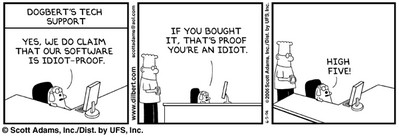
I don’t know how I’d make it through the day without Dilbert. Some people have coffee, some have Mountain Dew, some have pr0n, some have warez, a side job selling junk on eBay.. whatever it takes to get you motivated and working. For me, thats Dilbert. The sad part is that not a day goes by that I don’t get a live reenactment of a previous strip. It alone gives me enough sense of humor not to kill half of the people I work with.

P.S. Offer not available to the SBS team which has already promised to do much worse.

Windows 2003 Server more reliable than Linux

Linux
3 Comments

Really. Not just because Scoble says so, but also because Yankee Group did a research paper on it. Well, it’s written down and researched so it must be true. Sometimes I get under fire for calling BS on Microsoft too often so allow me to introduce you to my friends at Neowin.net. Mike, please field this one:

I had to do a double take when I saw that. 20% more!? Assume for a moment that you have two servers, one running Windows Server 2003 and one running Red Hat Enterprise Linux 4. Assume that your Windows box ran non-stop, without rebooting (which means you probably are not loading any Microsoft security updates) for 365 days. For your Linux box to have 20% more downtime it’d have to only be up for 292 days. If that is the case, your machine is no longer a server and is nothing more than a space heater.

Looking into the Yankee Group, and the analyst who contributed to this article, Laura DiDio, it can quickly be decided that they can hardly be seen as an objective source for technology analysis. Yankee has regularly been tasked and paid by Microsoft to provide “objective” reviews for its Get the Facts campaign (see all 184 results from Microsoft’s website). The Facts campaign is the same campaign that said one company switched from Linux because they had been effected by the Blaster worm (a Windows worm) on their Linux systems which caused them massive down time and as a result made the switch to Windows Server systems. (read that one for yourself).

Read more about this at Neowin: Editorial: Yankee Group Spreads On The FUD. I wonder who’s wins the next contract to write a Microsoft research paper.

When a man just wants to see a great rack

Gadgets
4 Comments

G, I wonder what the most popular page on Vladville will be today….

As you know I live in state that was built on top of a drained swamp and we also just happen to get hit by a hurricane or two every year or so. This leaves a man to search for a rack to keep his equipment high enough so that the water doesn’t ruin everything when the hurricane floods the area. So if you’re in the small business how do you get a rack without breaking the bank?

First option comes from Kevin:

Depending on how many Us you need rack/enclosure depth and whether it is a 4-post rack or actual enclosure with sides and/or doors will greatly vary your price. Most open 4-post racks range in 22u to 45u size, where most enclosures you can get as small as 13u (generally used as wall mount IDF cabinets). Don’t forget a PDU if needed and cable management. Make sure you go “square hole” over “threaded hole” as this allows you more flexibility and most new servers require square hole. A bare 42U open rack will run you about $400, where as a 42u enclosure with sides, doors, stabilizers and fans can easily run $1200 and up.

Second option from Rick:  

If you can wait 2 weeks, get yourself a Gruber rack – I’ve got like 20 of them in the field and they are phenomenal.  The best way to buy Gruber, believe it or not, is through their eBay store:

Gruber eBay Store

This is a good KVM shelf:

And these are incredibly strong shelves:

Buy your stuff all at once and combine the shipping, it’s good stuff and very inexpensive. 

Here’s the ‘GOTCHA’ – Gruber uses slightly less quality Aluminum in their racks than Chatsworth – not really noticeable structurally, but if you are in the habit of over-torque-ing your rack screws or moving racks around often you’ll find that the threads on the screws are not as good on the Gruber as they are on the Chatsworth.  Can’t help it, this is what happens when you use Steel screws in Aluminum racks.  The shelves and KVM trays are all steel, obviously, with folded edges for those with girly fingers.

One from Lynne:

If this is any help, here is a spec that we use (all from Graybar) 

Chatsworth rack 19” – black – 55053-703

Shelf 26 x 19 black – 11054-719

Low profile tray 19 x 19 – 11294-719 (we buy 2 of these)

Universal cable mgmt – 30130-719

Costs around $470.00 plus your labor to put it together. We generally have 2 servers on the bottom shelf, a monitor and keyboard/mouse on the 2 trays, with a rack-mount switch and cable management.

Of course, these weenies are in the SMB market. As for how we do it at Own Web Now.. Well, unlike the SMB weenies up top we have state of the art data centers with really high end gear, such as this one. Thats how a real man mounts his gear, and when we need to move from cage to cage the cart is conveniently mounted on wheels so we just push it around – power strip, PDU, PIX and all!

Joke aside, there are a few of your options to rack your gear on the cheap and keep it safe from hurricanes and floods.

-Vlad

Oh I really miss Europe

Misc
8 Comments

Thats what you hear from every nostalgic European that went back for a week and had a sudden epiphany about how much the old country rules and how much America sucks (yet they came back anyhow). Well, you won’t get that from me – stories like this one is why the only Europe I’m interested in seeing is exactly two miles away at World Disney Epcot.

Now that my fiance is unplugging her keyboard to bash me to death, allow me to introduce you to a story of the lovely people I crossed the Atlantic to get away from:

Serb burns car rather than pay fine

BELGRADE (Reuters) – A Serb man set his car on fire when he heard how much he had to pay to reclaim it after it was towed away for illegal parking.

An attendant told the daily Press the man was very calm.

“He went to his car, took a few things then opened the hood and set the engine on fire. When it was well ablaze he got back on his bike and rode off.”

Now on one hand, thats messed up. On the other hand, you have to admire the dedication. Most of us would probably just light it up and leave. This man lit it, hung out to make sure it took, then rode away on his bike with satisfaction that the impound would have to pay for more towing, disposal and cleanup of his car. F’n brilliant.