Overheating for Dummies

Gadgets
2 Comments

Untitled document

You can consider this a public service announcement or at the very least an attempt to introduce you to the wonderful world of thermal compounds. I am writing this because I had a talk with my wife earlier today and she mentioned how many warranty problems her employer has had with Dell systems overheating. The IT person she spoke to didn’t know what Arctic Silver was so I figured it had to be covered. Ankle deep water, you’ve been warned.

The Processor
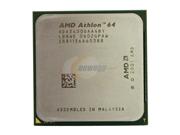
19-103-023-02To the left is the computer processor, the CPU. This little beast can run over hundred degrees F and is perhaps the most sensitive (and generally the most expensive) component of your PC. This is what Intel has spent billions of dollars on in seemingly worthless commercials featuring the Blue Man Group. What they sell is the silicon assembly to the left. I’ve selected the one from AMD as you can tell.

The Heatsink
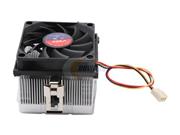
35-166-035-02The heatsink, or the heatsink assembly, is a collection of devices that help spread the heat generated by the operation of the processor over a greater surface. As you can tell from the processor above, the surface area is quite small so even fanning that surface is usually a futile attempt. Without a heatsink to spread the surface area and a fan to flow the air through the system the processor would overheat and burn.

Now the bottom of your heatsink generally comes with a thermal transfer compound. This compound melts and bonds with the processor to create a cohesive thermal transfer from the processors surface with the collective surface of the heatsink. This can go on into the laws of thermodynamics and considering I got a B in college physics I don’t really want to shame myself again. Just take my word on this, the greater the surface the more room for heat to spread thus the overall lower temperature at any given spot on the processor. 

The Problem

The problem with overheating systems is generally that of the thermal compound. Over time the thermal paste that your computer maker managed to shave 0.0003 cents off by bying a cheaper mix will lead to the less effective heat transfer from the processor to the heatsink assembly. The less effective the heat transfer gets, the warmer the processor gets and the warmer the surrounding area gets. As the system runs warmer other components start heating up and… well, back to the thermodynamics. In simple terms: “can you smell something? it smells like someone burned a plastic fork.”

There are many programs out there that will give you an idea of how hot your system is running. One of the best (and free) is the SiSoft Sandra and it can tell you just how hot your system is. Nearly all modern boards have sensors that report back in realtime how things are going. The more load you put on your processor the warmer it gets so you can test your temperature at the low load (from the BIOS for example) or at full blast while playing that new FPS game. So lets assume you find out your processor is running hot (70 degrees Celsius for example) – what to do, what to do?

The Process

The solution is simple: Buy a quality thermal compound. We use Arctic Silver 5 and Arctic Silver Ceramique.

If your computer is up and running: You have two options, either run your computer under high utilization for a while (give it a whole bunch of benchmark tests and let it run em for 10 minutes) or disassemble the PC and melt the current thermal compound by hand. Either way, unless you’re a girly man you should not be putting in a significant force to separate the heatsink assembly from the processor – if you are odds are that you’ll end up ripping your processor out of its socket. Or you haven’t disconnected the heatsink assembly from the motherboard – in which case you’ll be ripping out the motherboard from the case. Either mistake will yield hilarious results so please take a moment to RTFM before you do this. You want to separate the heatsink assembly from the processor. Then you want to clean off both the processor and the heatsink of any thermal residue (usually gray stuff) which can be done with simple rubbing alcohol. There is something more sophisticated you can use but I never have and don’t quite remember what its called. Just whatever you do, don’t take the screwdriver to it. If you’re chipping this paste off the processor in the same way people engraved tablets… you’re heading in the wrong direction.

35-166-035-03If you’re assembling the brand new PC – just strip out the ghetto cheap compond from the bottom of your new heatsink. You can do so with a razor and finish off with an alcohol cleanup. It really is quite simple.

35-100-009-01The installation? Very very simple. Just drip one grain (very little tiny dot) of thermal compound onto the top of the chip, set the heatsink back on, rock it a little bit and secure the assembly. Don’t worry about painting it edge to edge, or trying to level it off. It’s not a cake to be frosted, it is a thermal compound that assures the place with the most heat generated (directly above the processor’s core) has the best bonding to the heatsink assembly.

The cost

The cost is surprisingly low. The picture above shows the Arctic Silver Ceramique which you can get from NewEgg for $5. This tube will cover 20 processors at least so you’re not talking about a significant amount of money at all. Not to mention the fact that its not even close to what a shipping charge would be if you had to ship that Dell back to them to take a look at or to your neighborhood IT shop.

So there you have it – one $5 tube and a weekend project can put a whole new life into your PC and give it a lot more room to breathe. I’m done with suggestive puns, hope you give this a shot. Proper thermal management of your PC is not something that just gamers and overclockers do, many big IT firms (such as mine) do this to reduce cooling costs and it turns into millions of dollars worth of savings. I’m not suggesting you go out and buy a $300 liquid cooling system, just a $5 tube of thermal compound.

Read more about this on the web, check your temperature and if you’re in any way responsible for computers and are learning about this for the first time…. Maaaaaaaaan. Smack. 

Update 1: It didn’t take a long time to get a bunch of questions on this one.

How do I melt it by hand?

Point the fan directly at the heatsink (“the metal looking part”) and run it for a few minutes until it becomes hot. If it starts turning orange you’ve gone too far. Basically keep it going but don’t let it heat until you burn yourself! DO NOT run the heat at high and do not point it at the motherboard – your goal here isn’t to melt the surrounding components, it is to heat up the heatsink so that the thermal compound will lose grip from the processor.

Does this work on server processors?

Yep, works on all sorts of processors even on video cards.

Define “hot”…

Difficult subjective question. Generally for Pentium 4 processors temperature over 60 at semi-idle speeds is a lot. The Northwood core runs a lot cooler than the Prescott core. Intel Core 2 Duo’s are in the similar ballpark. Basically, expect it to idle in 40’s and heat up through 50’s under heavy load. Athlon AMD 64 processors are a few degrees less than that, in my experience at least 10 degrees.. I don’t offer/extend advice on performance metrics so try hitting the overclocker boards and find out what they claim as their “stock” temperatures (that is, the temperature reached by the retail processor with the stock/enclosed/included heatsink/thermal pad).  

Keep em coming…
Vladfire 19: Dean Calvert

Vladfire
Comments Off on Vladfire 19: Dean Calvert

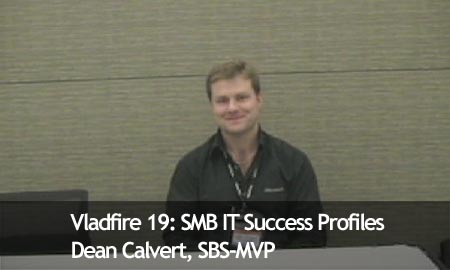
Vladfire, all the way from Australia, with Dean Calvert. Dean is an SBS MVP and the world ambassador for Australia. You can find him at every big conference with a tube of vegemite that we discuss in the video below. Dean also talks about what it takes to run a successful SBS consulting practice.

Vladfire19

Runtime: 7:10 Minutes.

Download a WMV (Microsoft Windows Movie) | (37 Mb)

Stream Quicktime (Fast, Streaming, Requires Quicktime) | (27 Mb)

Was it something I said?

Microsoft
1 Comment

Dear Vlad,

Thanks for all the jokes about the green check of health, funny boy. Your face is next.

Cordially,

WSSG SBS Team

IMG_0723


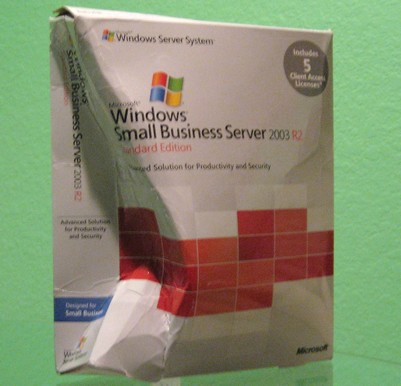
I kid, I kid, apparently we didn’t pay the mail bill. This was sent to me by Charlie Anthe and Kevin Beares as thanks for beta testing SBS 2003 R2. Very nice of the guys to do that and even nicer of them to type up a letter and say thank you. It is something that doesn’t happen often in this world so take a hint from Microsoft and thank your customers today, especially the supporting ones.

Now I’ll go back to my nuclear shelter for when the “Office UI” team sends me their thanks

Trailing disappointments on Vista and Office 2007

Vista
2 Comments

As I have written before, Own Web Now is doing an experimental launch of Office 2007 and Vista to 1000 US customers. We’re basically providing our client’s main technology driver and early adopter a chance to test Vista and Office on adequate hardware and make an educated decision on whether Vista/Office are worth-while for their business based on actual experience not speculative pundants and grapevine commentary.

The results so far are not promising, not promising at all. Among the chief complaints are:

  • UAC – Users hate User Access Control and rightfully so, Microsoft did a poor job stealing this technology from Unix. You see, in Unix the su and sudo commands allow you to either permanently or temporarily execute commands on behalf of a root (“Administrator”) user for administrative purposes. By executing a sudo followed by a command, user can execute a single command, similar to Windows /runas. By executing su the user can gain administrative rights for the session and operate as a superuser. This has been an elegant way of doing administration on Unix for decades. Enter Microsoft and their innovation. They implemented the exact same concept of elevated privileges except every time you want to do something as an Administrator you have to click to approve access. No way to save settings for the length of the session so if you’re installing a new piece of hardware you’ll have to click approve a few dozen times to get anything done. It is easy to see why people hate UAC and so far it has been the #1 reason people have asked to be taken off Vista. I have personally walked several people through the disabling of UAC.
  • Office Ribbon. Customers are initially very excited with the new Office interface. However, after a few days of use they start to want to go back to Office 2003. The reason? Interface is too prohibitive to allow them to do the tasks they are used to — efficiently. We have proposed building custom ribbons, adding commands and reconstructing the previous look and feel for them. Then we encountered many plugins and addins that no longer worked with Office 2007 and a surprisingly high margin of people has realized just how effective Office 2003 happens to be. Personally, I cannot believe Microsoft did not think to include “classic” interface as an option.
  • Vista Effects – Oh they love to see them. Honestly, for the first few days the users cannot get enough of the eye candy that is Vista. Even the one button launch functionality from the keyboard is getting rave reviews. However, thats when the honeymoon ends. Users start to complain about the slowness and lack of responsiveness to some actions. I addressed this issue personally with a local client – and they are not “slower” but they are more animated. For example, windows fade in and out of the view. Same speed, but that half a second that people like to use to review documents or compare things side by side is really irritating our customers.

So far the experience across the board has been similar. Here are the stages of Vista/Office adoption:

1. Acknowledgment – “They finally did something to make me more productive instead of same ol'”
2. Admission – “I have to say, I love it, I can’t believe how smooth it is!”
3. Denial – “Really, it won’t work with Vista? I have to click on it every time?”
4. Anger – “I can’t believe this is so slow. I can’t handle clicking on 3 menus just to format my spreadsheet.”
5. Acceptance – “I can’t believe how good we have it on XP. We won’t be upgrading…”

So dear J Allard.. I would love to see you make me eat my words and fix the above pain points before Vista/Office 2007 becomes generally available and your arrogance puts both Microsoft and Microsoft Partners out of billions of dollars. No, those are not fighting words, those are the facts as my fellow partners and customers see them.

Good Morning Amerca, it’s Cyber Monday

Deals, Misc
1 Comment

Today is Cyber Monday, not the biggest online sales day of the year.

It’s not? Um.. Then why is it important?

Cyber Monday is the opportunity for retailers to screw Americans that were too lazy to wake up at 1AM last Friday.

That’s all there is to it. Simple as that.

Millions of people will go back to work today filled with guilt and emptiness put in them by the media blitz coverage of people standing out in the freezing cold to buy that bottom-of-the-line $20 DVD player, $200 computer. They will use their work computers, between ragging on their family and lying about how much time they won’t be spending in the gym to shake off the Turkey weight, to buy items retailers could not move off their shelves throughout the year. Everyone needs a gift after all. Who wouldn’t appreciate a Celeron laptop. Or a big HDTV made by respected electronics manufacturers like Westinghouse or Syntax. Or that brilliant Aiptek camera, winner of the prestigious “Most Returned Item of 2005” award?

I’ve spent the entire weekend on Dealnews and Slickdeals, looking for something that I would be compelled to buy. The only half appealing item I found was a trailer-park edition of Xbox, of which only 1000 were offered as a test of what would trash amazon.com. Has your experience been significantly different? Have you found a killer deal that you could not negotiate in a store or see at virtually every other fake American holiday?

I watched the local news last night and just laughed at the way they try to dramatize everything. It’s funny how my video blogging has brought me closer to the story development process. Here is how you make a big deal out of anything:

  • Begin by stating the obvious or generally accepted myth: “Thanksgiving sales were packed with great deals…”
  • Large numbers justify your points: “Here is the picture of what this place looked like at 6am on Friday morning…”
  • Get an independant opinion: “Oh, I saved so much. At least 20–50%, at least according to the window marketing which never lies…”
  • Appear to provide relevant content: “Here are 5 tips to follow tomorrow… Pay with a credit card, check out the merchant…”
  • Close with meaningless banter: “People really saved a ton…”

I am never amazed with just how stupid people are. However, I am impressed with how stupid I am — with all of the above, how come Own Web Now doesn’t have a Thanksgiving sale?

Zamn Zats Zugly

Microsoft
Comments Off on Zamn Zats Zugly

RalphyOuch. Double Ouch. Zune is getting its fair criticism that many shared, as have I.

Today I got another chance to play with the Zune at our local Costco. The first thought that goes through your mind as you reach out for this device is: “Looks like a personal media player to me!” – quick, think of a successful PMP. The Clix? No. Archos? No. Zen Vision? No. Meizu? Who? Meizu! Playstation Portable? Ooooh, yeah, I’d like one of those! (keep this in the back of your mind for a second)

The second feeling you get when you pick up the Zune is that of pure exhaustion. The girly man syndrome. The arm cramp, the feeling of your biceps tearing ever so gently as you pick up this brick of a portable device.

Poor Zune. Poor Microsoft! Where is the traditional innovation I’ve learned to expect from Microsoft? Oh. Ok. Semantics, people. Where is the traditional shameless theft of IP I’ve learned to expect from Microsoft? Where is the ingenuity of stealing someone else’s kind-of-successful product, re-branding it and improving on it ever so slightly? Stick a Microsoft logo… no… wait… an XBOX logo! Surely if people lined around the corner to buy an Xbox they’ll do the same for the Zune!

How did this go so very, very wrong? Here is a breakdown for you:

  • Microsoft chose a portable media player product format with a long track of failed launches as overall consumer disinterest.
  • Microsoft failed to associate the new device with an already successful brand in the consumer world – not MSN Zune or XBox Zune.
  • Microsoft failed to rally its base of enthusiastic users — think fast, which one of your friends has a Zune?
  • Microsoft brought 0 innovation to the game, not even an incremental effort. What is one useful feature you can get from Microsoft Zune that you can’t get elsewhere? The ability to share your songs with someone. The benefit that expires in 72 hours.

Fair enough, enough Zune bashing.

Microsoft has problems. No, thats not my opinion, that is Microsoft’s internal accountants commentary on the challenges and going concerns Microsoft continues to face from its competitors. The challenges to their business model. They are afraid.

But… Microsoft has a plan and a vision to combat these threats through innovation and giving customers what they want. Then why for the love of god did Microsoft choose not to learn anything from Apple, not to listen to its customers, not to eliminate any issues people have with current players, not to bring anything innovative to the consumer?

I am as puzzled as you are. I do know one thing, I wouldn’t want one of these under the Christmas tree. What will become of Zune? Perhaps a sweepstakes to incentivize people with baggy clothes and good belts into attending long and boring webcasts?

There are times on this blog when I give my good friend Steve Ballmer some practical advice. This one might get me killed but here it goes: I believe the following will be written by the Zune team for its tombstone:

Microsoft Zune:

Because we had to give boss something other than a chair to throw at us.

Vladfire 18: Erick Simpson

Vladfire
1 Comment

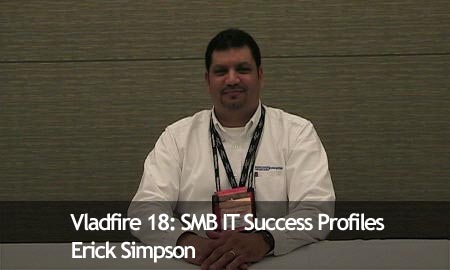
Erick Simpson is the CIO of Intelligent Enterprise, author of pretty much the only and the best book on managed services, and a very good friend. In this interview Erick talks about the transition of his business to the MSP model… He is also our guest on SBS Show’s #25 and #26. Enjoy:

Vladfire18

Runtime: 6:57 Minutes.

Download a WMV (Microsoft Windows Movie) | (36 Mb)

Stream Quicktime (Fast, Streaming, Requires Quicktime) | (16 Mb)

No Geek Left Behid – Episode 5

Vladville
1 Comment

Nglb_005_thumb1Tim just published the 5th (uh oh, he’s catching up) episode of No Geek Left Behind featuring a trip a few of us took to the Seattle Aquarium. Let’s see, how do I sell you on watching a 20 minute vacation video…

Featuring: Vlad Mazek singing a 2 Live Crew “Shake a lil’ Something” hit to a bird… with extreme closeups.

Mind you, this was the material Tim felt was appropriate enough to publish. If the level of SBS Show obscenity isn’t quite clear, some of the monologue between Chris, Susanne and me was cut out – but someone squeezing semen out of a salmon made it. Yes, we are that good. This morning I woke up to an IM from Chris saying “Dude, it was nice knowing ya.

Right back at ya pal.

WARNING: The video is extremely funny if you share our sense of humor. If you’re easily offended this may not be the video for you… particularly if you’re:

  • fan of the outdoors
  • British
  • from New Zealand
  • from Seattle
  • fan of Bill Dance
  • not a fan of 2 Live Crew
  • looking for quality audio
  • consider reproductive subjects inappropriate
  • easily offended by sarcastic shirts
  • don’t like boob shots
  • don’ like extreme closeups of birds posterior
  • upskirt comments regarding the octopus
  • references to drugs and drug paraphanelia
  • self-condescending people
  • skeptical about sources of your food
  • man, woman, child or animal

I feel that is a sufficient warning.

Free Microsoft Office 2007 Training for IT Professionals

Deals
Comments Off on Free Microsoft Office 2007 Training for IT Professionals

I’ve mislead you with the title intentionally.

Do you consider Microsoft Technet webcasts, offered for free, as a bargain in terms of ITPRO training? Even the level 100 courses would cost several hundred dollars at a training center not to mention the investment of time to read a book to comprehend the basics.

So here are few webcasts during December that I hope you get a chance to attend. Courtesy of Eileen Brown.

A First Look at the 2007 Microsoft Office System: Five Useful New E-mail and Collaboration Features (Level 100)
Thursday, December 07, 2006 – 9:00 AM – 10:00 AM Pacific Time

A First Look at the 2007 Microsoft Office System: Five Important New Features (Level 100)
Tuesday, December 19, 2006 – 9:00 AM – 10:00 AM Pacific Time

An In-Depth Look at Windows SharePoint Services and Office SharePoint Server 2007 (Level 200)
Friday, December 01, 2006 – 9:30 AM – 11:00 AM Pacific Time

Real-Time Collaboration and Office SharePoint Server 2007 (Level 200)
Monday, December 11, 2006 – 11:30 AM – 1:00 PM Pacific Time

A Sneak Peek at Mobility Features in Windows Vista and the 2007 Microsoft Office System (Level 100)
Tuesday, December 12, 2006 – 11:00 AM – 12:00 PM Pacific Time

Are we ready for 64bit?

IT Business, Vista
1 Comment

On the servers, yes.

On the Windows workstations and peripherals, not quite.

There has been a fair bit of discussion on whether we are ready for 64bit platforms and more to the point, are we building systems that can power the coming 64bit wave of Exchange and Longhorn?

On the server side the response has been a resounding yes. Many have pointed out that 64bit processors such as Opteron have been out since 2003. You can also note that all Dell entry-level Pentium and Xeon servers are 64bit.

So we are 64bit capable. But are we ready for 64bit?

Not quite. Lack of drivers. Lack of support. Most of all, lack of faith among the early adopters. Nearly everyone that went to 64bit Windows XP has regretted it and most have rolled back to the 32bit edition. The trend with Vista is not pretty either. Many have complained about the lack of 64bit optimization in Vista, claiming that the Pentium-D class systems ran significantly faster in the 32bit than 64bit editions.

Drivers are perhaps the biggest complaint. They are not getting any better. For example, not a single modern printer in my house has a 64bit driver.

Who will gamble on 64bit?

Not Microsoft, they will sell the workstation OS regardless of the platform. No Dell, they aren’t stupid enough to flood their support lines with unhappy customers that just bought a brand new Dell and cannot use any of their older peripherals. Not the OEM manufacturers, they of all have the least budget and interest to support a microscopic market share. Don’t believe me? Ask Macintosh users about how many peripherals worked with them in the 3–7% market share days. Ask Donald Becker why he had to write nearly every network driver in Linux. Ask Redhat why they had to bend over backwards and deal with sellout criticism when they shipped kernels with modules that simply could not be compiled from source. You get my drift, OEM’s are going to be looked at for drivers but they have traditionally not been the leader. As a matter of fact, OEM model is in the exact opposite direction — they rush to ship the product with drivers that “work” and only after the adoption rate falls below the RMA rate do they start to fix the issues.

Grim scenario indeed.

So we are 64bit capable. We just aren’t ready.