SMB Community Megafeed

Vladville, Web 2.0
20 Comments

This is something that Susan and I have been talking about for quite some time now, the constant growth of the bloggers in the SMB community. I’m fairly proud to see the number of you that have fired up blog sites as a result of my last bomb-post about how you can contribute to the community just by speaking your mind. Way to go. We are all voices of our respective companies, the customers we service, the partners we deal with and issues we have to solve on a daily basis. Making that voice heard, in a coherent and complete way tends to cause others to stop, take notice and help. So if you’ve taken that step.. thank you.

Now, how do you find out about all of these great blogs?

Well, you have to know the pope. Then you can try Google, Technorati, etc. Rinse, repeat on monthly basis.

For a while now Susan and I have been talking about organizing a central list of these blogs and then further mashing them into one large megafeed. The concept being that doing so for the particular market segment will allow us to be more connected and give those of you just starting somewhat of an equal footing with the people that have been doing it for a while and have a built in audience. Nothing new or earthshattering here, simply trying to push a little exposure around.

How can you help?

Glad you asked. Post your blog address as a comment to this blog. If you happen to have an OPML of SMB blogs you read please send them to me via email.

Microsoft WWPC Starts

IT Business, Microsoft
Comments Off on Microsoft WWPC Starts

First day in Denver went quite well, got a few meetings out of the way as well as a nice party and dinner. Got to meet Vijay, catch up with Karl, Eric, Erick, Susan, Anne, Dean, Mark, Matt and… whats her name.. yes, Susanne! Nice way to start.

So what can you expect from Vladville this week? Well, I’m here till Friday so I have a full week of meetings, interviews and focus groups to attend and will be bringing you the latest from the conference that you won’t get anywhere else. Yes, there is the Digital WPC Website available for you to watch the keynotes (ZzZzZzzzzz…) but as I’ve written before, everyone who is anyone is here and that presents a unique learning and motivational opportunity. Granted, not for anyone, but if it is for you and you didn’t get to go this year check back with Vladville throughout the week and I’ll show you behind the scenes of it all.

Shockey Monkey AJAX Upgrade, Changelog, Roadmap

Shockey Monkey
Comments Off on Shockey Monkey AJAX Upgrade, Changelog, Roadmap

As mentioned last night, I’ve put in a significant amount of effort into adjusting the interface to make people more productive with Shockey Monkey. Big part of that is a technology known as AJAX (for the most part its actually AJAH with very little XML) which allows me to update page elements without forcing you to load another page, popup another window, etc.

Upgrade Changelog

  • Rearranged ticket update interface. Information that is often updated (now including priority/escalation) is visible by default; To add extra information such as time and billing you can click on text to slide in a time entry panel.
  • Bumped up comment field for ticket updates to 80 colums. The new field allows you to see more of your ticket update as you are typing it in.
  • Added ability to insert both public (client visible) update as well as internal notes (private company / staff) update on a single ticket update. This is useful if you are updating ticket with additional information that you may not want to disclose to the customer.
  • Ticket display now supports filtering by company name (per popuar request). By default the Support tab will show all open tickets in the system, selecting a company under “Show tickets for” dropdown applies a filter and displays only tickets for the selected company. This value is persistent, meaning that it will filter across closed, urgent, new and assigned to me support requests. To show all ticket requests just adjust the filter to “All”
  • Updated color scheme to reduce puke-orange feeling you get while reviewing a request. While I did enjoy the contrast the orange brought to the blue site, anything that can be done to place the monkey in the stage of melancholy where they don’t become smartasses with the clients is good in my book. CSS will eventually be completely customizable.
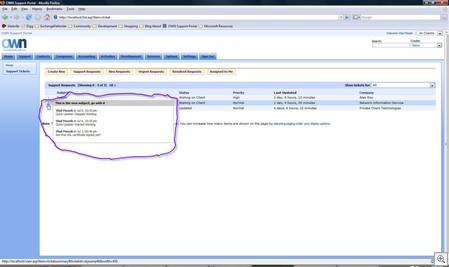
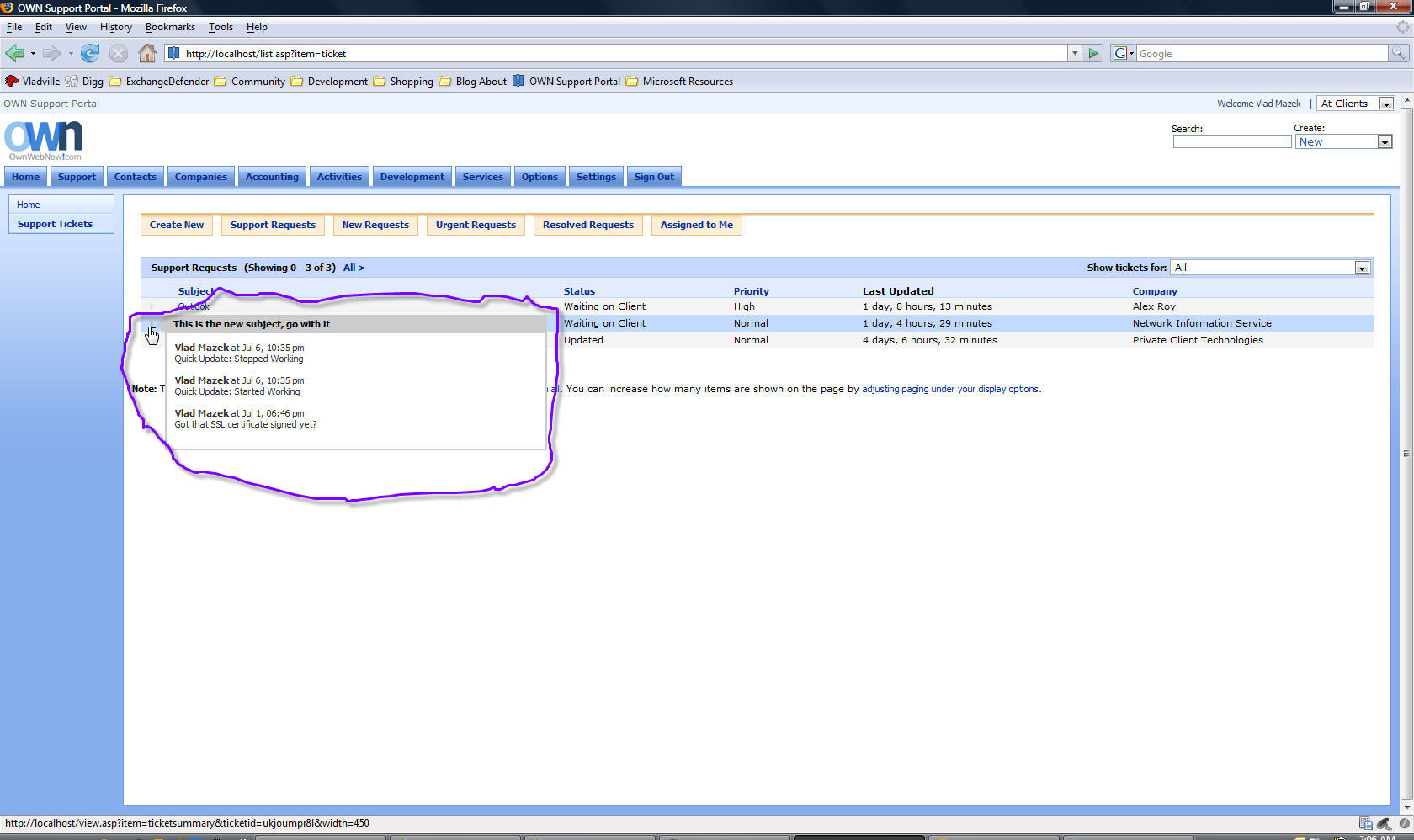
  • AJAXified ticket listings so you can pan (or over) over the first column in the ticket row display and see last three ticket updates to the ticket without clicking on it. The details presented are users name, time of update as well as full text of update comments.
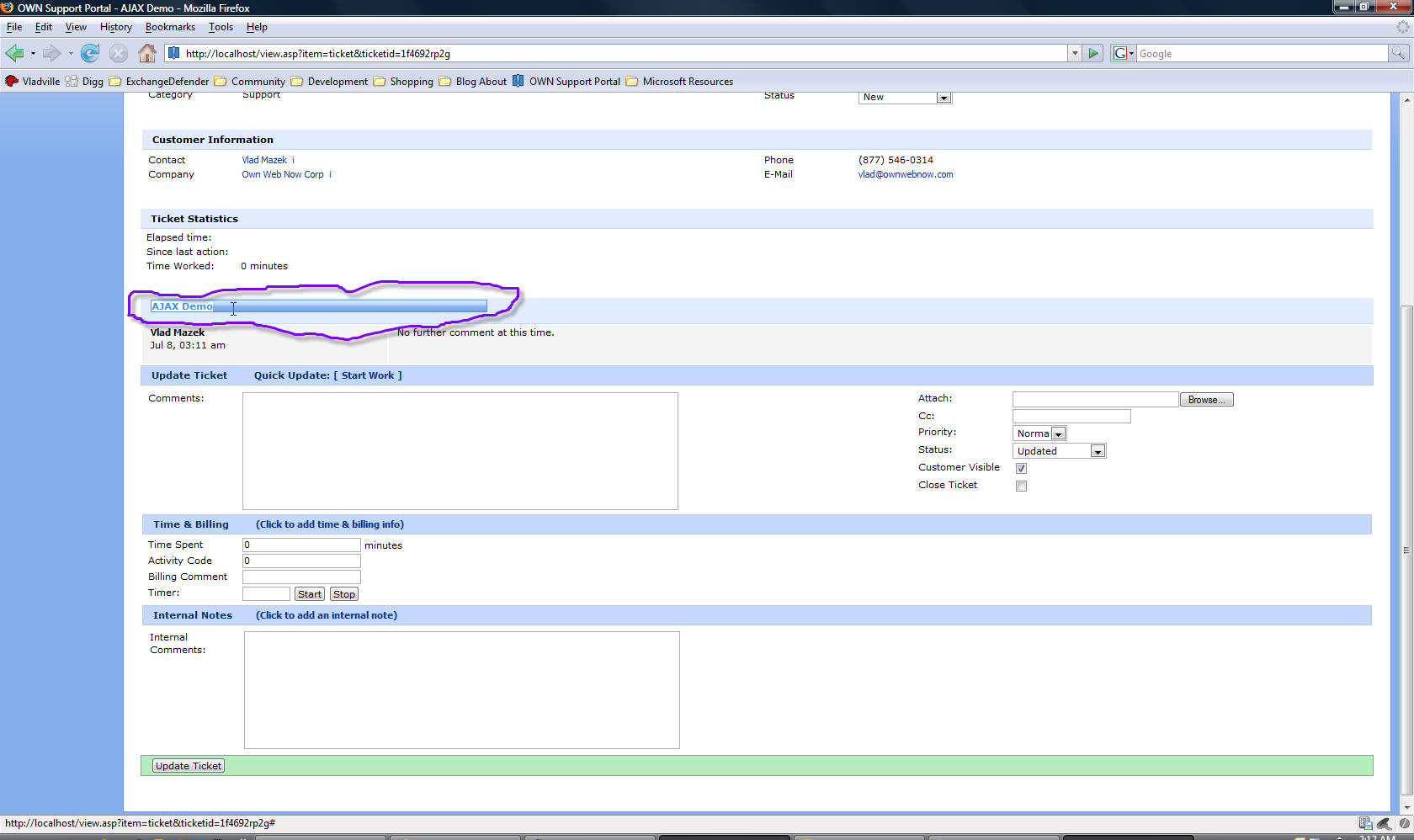
  • AJAXified ticket view screen to allow you to edit the subject of the ticket in case your customer provides a stupid/misleading ticket subject (as per Daryl M.); Hover over the ticket subject on the ticket view screen and double click on the subject. Input box will appear.
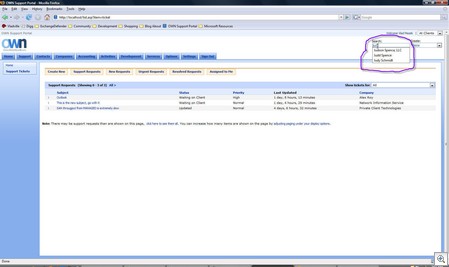
  • AJAXified new contact creation screen, the company field now supports autocomplete. Autocomplete is similar to intellisense technology on your PocketPC or for those of you familiar with Visual Studio, after the second character is entered it will run an AJAX search and display companies with similar names. This is to address an issue where staff members keep on creating accounts for users from the same company but with slight nuances in the company name listing, which then creates a separate company account and splits information. This autocomplete will hopefully let the user know if a similar company is already in the system.
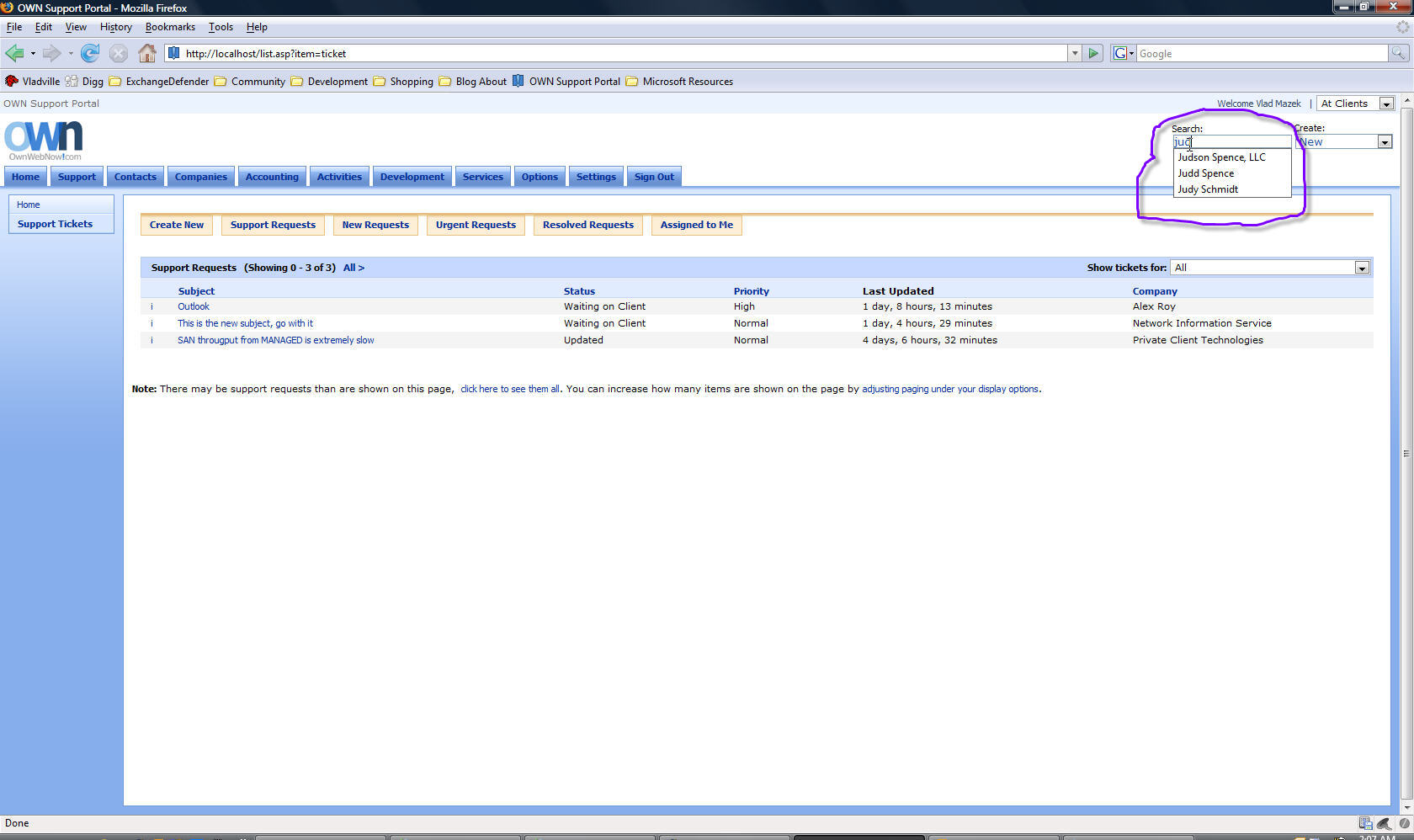
  • AJAXified the search control. Much like the company autocomplete, the search bar will now run an AJAX search against users and companies in the database and give user an option. This is a PARTIAL search, it will match anything in the name, so if you’re looking for a company that you remember having “Tek” in it, the AJAX search will match “AsusTek”, “SmartTek”, “AvanTekNoligies”, “TekGuy LLC” and so on.
  • Updated SmartPhone application (/m.asp) to include ability to update priority and status on ticket update. Also added ability to add billable time (number of minutes worked)
  • Updated SmartPhone application to support “Signout” and “Recent Updates” functionality. Recent Updates only shows tickets that have been updated since the last login or signout event. Signing out of the application only stamps the session as having ended, because the login information is passed in the header you do not have to log back in when you access the application again. This is done by design because it can take a while to login to an application using the phone.
  • SmartPhone application now also supports time zone adjustments.
  • SmartPhone application now displays the corporate logo when accessed. I have no excuse, I was bored and this seemed easier than whatever other problem I was trying to solve at a time.

    Updated Roadmap

    I’ve made it no secret that I have wiped off my entire schedule for the second half of 2007. There are a lot of reasons for that but this is a major part: I am committed to delivering the whole platform by the end of September, roughly a year after Shockey Monkey launched as a helpdesk app. As you can tell from the roadmap, the next two months call for the integration of already stable WMI agent code, documentation and accounting modules as well as some extra management stuff.

    July 13
    – Finalized VoIP integration for TrixBox
    – Finalized mail code for alerts, inbound mail, ticket generation
    – Finalized AJAX interface

    July 20
    – Dispatch manager (geopositioning, Google Maps, directions and schedules)
    – Support routing and SLA Manager (for example, autoescalate tickets after X hours without a touch)
    – Shockey Monkey Mobile (WM5 Application)

    July 27
    – Finalized Documentation panel (for documents and forms such as network information, server information, ISP configuration, routing, accounts)
    – Shockey Monkey WMI Agent

    August 3
    – Bug fix/check week

    August
    – Accounting integration work with GP, Office Accounting, Quickbooks
    – Possibly an Outlook plugin but no promises

    This leaves September for bug-fix work, October for reporting and finally November for commercial launch along with a virtual machine shipment so you can deploy Shockey Monkey in your own enterprise environment, on your hardware, behind your firewalls, etc. Basically, addressing 100% of the initial needs of the project when it was first put together.

  • Shutting down WIFI on my laptop

    Programming
    1 Comment

    I am about a billion times more productive on the road, despite being less organized and less resourceful. The other day I was in a hotel room with no wifi, no ability to lookup some javascript function and yet I managed to have better output than I’ve had this morning. In the same amount of time last week I managed to crank out a ton of code, today – well, not quite impressive.

    Why?

    Cause apparently I have an attention span of a braindead squirrel. I opened up Firefox to look up something quick on the intranet for the dynamics tab section of Shockey Monkey but instead ended up reading an article on the Boeing Dreamliner. Brilliant, and almost 10 minutes gone along with the idea I had before my digg.com homepage came up.

    When I get back home to Orlando I am absolutely disabling wireless access on my laptop so I can get some real work done. Something to ponder on how much of a distraction Internet provides on top of regular office stuff.

    Pownce, Twitter: Real Life Reality Check

    Vladville, Web 2.0
    9 Comments

    This is going to sound a little dark but here it goes anyhow… I’ve been on the road for a little while now and looked at my vladville.com account. God I’m popular. Not.

    Not a day goes by that some loser I probably met for 3 seconds doesn’t ask to become my e-friend. Hey, are you on Facebook? Which address are you using for Groove? Does your Asterisk support anonymous calls, I want to dial direct to you via SIP? loser@loserville.org has added you to their buddy list. Block!

    Sound familiar?

    Ok… so here it goes… you know how you have like 3 friends in real life since you graduated from college? Maybe one that you can count on to help you move? Oh, I’m sure you were popular in college and you have 8,000 entries on your SIM card but your speed dial list consists of your family and a local pizza joint. Now here is the sad part – you are far less e-interesting. Far, far, far less. I’m beeing too nice here perhaps. Ok. Here it is: I’d rather play “punch the monkey” banner ad than read your personal profile on the cool-people-network-of-the-week.

    Ok, so I am beeing too nice here but the point kind of remains: there is 0 value in this uberconnectivity. Why? Because nobody happens to be doing anything at all that is worth any particular attention. If they are, they are smart enough to realize they are the top 1% of the content producers and most are doing so for commercial purposes. So whats the point of getting into a pile of people that just stare at each other and do nothing? Exactly. Look at Twitter: What are you doing? The answer: Nothing interesting, to anyone, anywhere. This sites claim to fame is that it publishes commentary of idiots that are not insightful enough to say anything on other social networks such as Digg or del.icio.us.

    Here is my professional evaluation of other social networks. LinkedIn: Unemployable and proud of it. Myspace: Sexual-Predator-In-Training. Facebook: Myspace with less epileptic shock (or: I’d like a teenager but keep it legal). Classmates: $20/mo to stalk your high school girlfriend. Twitter: Worthlessness, documented.

    Both of my Web 2.0 go-to people are talking about this. Sarah is feeling the social networking fatigue. Robert wonders how he’ll keep up with social networks.

    Web2.0point is that nobody cares, for the most part. There are numerous comments out there how 90% of digg stories gets submitted by maybe 2% of the user base. So what are all of these social networks good for? Satisfying curiosity at the peak of boredom. Let me illustrate. A few weeks ago I had the following conversation with Susanne, heavilly paraphrased:

    Susanne: Loser XYZ just added me as his friend on Facebook.

    Vlad: Hold on.

    Vlad: How creepy would it be if I went through your friends list and added the hot chicks to my friends list?

    Susanne: Um. Very.

    And there you go. Web 2.0. You’ve got one person that you wouldn’t mind being stuck in the elevator with and 2,000 others that you’re kind of curious how drunk they got before they snapped their profile picture…. and then used it as their default profile pic, in a futile attempt to say: Look at me world, I am FUN!

    No, hon, you’re not. As Chris Rock says, “Go get kidnapped or something.”

    Shockey Monkey AJAX upgrade preview (release tomorrow)

    Shockey Monkey
    2 Comments

    So for the past two weeks I have been working on the general interface improvement of Shockey Monkey. Here are a few features that are seeing their first light of day mostly due to the demands of my staff, I hope the Shockey Monkey users consider them and we find a way to make them available throughout the interface without absolutely destroying the app.

    I am the most prolific and vocal hater of CRM software, in my 28 years on this planet I have yet to see one that I like. So Shockey Monkey is as anti-CRM as I can possibly make it. Today, I am close to that goal – 0 popup windows. Thats right, 0 popup windows. That presents a challenge in presenting information so let me give you a bit of a preview of how I’m addressing that. By the way, all screenshots are thumbnails so just click on it to enlarge.

    Intelligent Tips

    Perhaps the most powerful part of AJAX is the intelligent tooltip float. Shown below for the ticket display module (also works in the accounting ticket display) it shows you last 3 ticket updates along with names and timestamps as you hover over the ticket line. You don’t have to click on anything, you don’t have a popup window to dismiss, you just have to hover over the little icon and it will dynamically load the data from the database.

    Why is this significant? We have trouble prioritizing. Clicking on tickets, opening them one by one whether directly or by sending them to a new tab is just a waste of time and a lot of mouse / keyboard coordination comes into play. This little tweak allows you to see the latest ticket updates and prioritize your response – attack whatever is the most urgent – Was the last customer response “Ok, great, that works now!” or was it “If you don’t fix this today we’re looking for a new company!

    Sm-preview1

    And yes, Daryl, that is the feature you requested – Company filter as close as I could get it to what you guys described you liked about Kaseya. Dropdown allows you to filter tickets by company. Haven’t had to use this but it seemed to be popular with the crowd.

    Intellisense / Autocomplete

    Those of you familiar with Visual Studio intellisense or more plainly “autocomplete” will like this feature. Enabled for Search boxes and New Contact screens, this hack dynamically suggests possible matches as you type in the field. This is useful for two reasons. Every now  and then I am looking for someone but for one reason or another I only know a part of their name. I don’t want to search, then look through the list to find it again – just once is enough! So I can do a partial match and after only 2 characters I am presented with up to 20 results that match the search pattern (anywhere in the word) meaning Da will match Dave Sobel and Tech Data.

    This also addresses uniformity during new account creation. Monkeys tend to just type crap in without looking whether the company exists or not – which is why CRM systems blow – nobody EVER pops up that window that gives you the company listing. In turn, they type in a slightly different company name and split the company intelligence, support, etc. This will hopefully stop that.
    Sm-preview2

    WhotheFareyou?

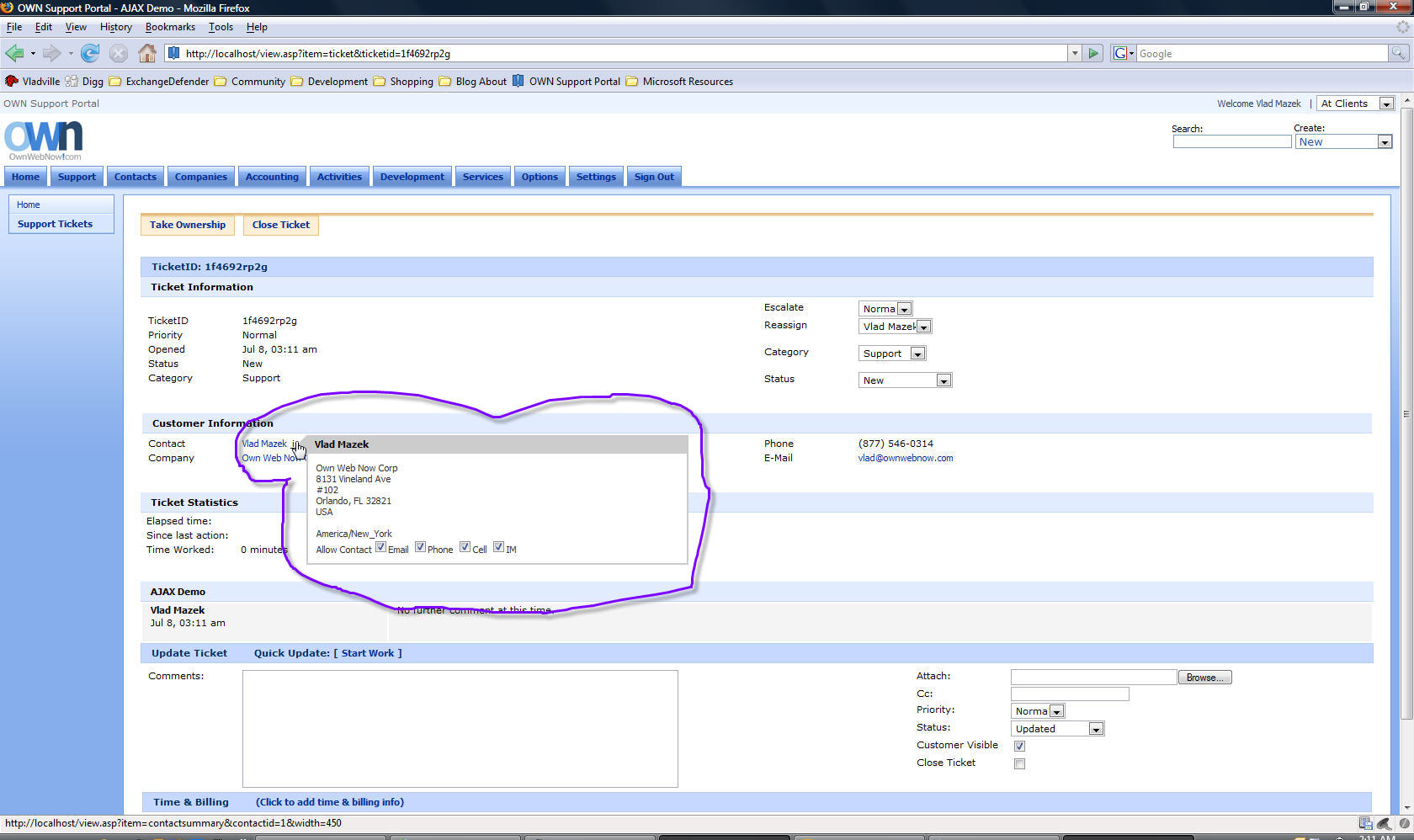
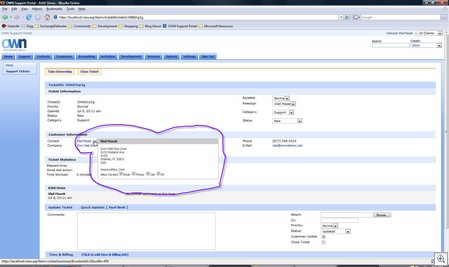
    Now contact details link for company and contact have been available since the first few months of Shockey Monkey – but in order to get some details you had to navigate to another page (or tab); sometimes just to check if the user is in your time zone or who the main contact for the account was.

    The contact and company fields can still be clicked on for full, editable, details – however – hovering over them will dump out a tool tip with the most interesting details (as determined by me)
    Sm-preview3

    Stupid Monkey Tricks

    Ok, this goes straight into the stupid area as far as I’m concerned but again, my monkeys seem to like it. You will notice the ticket update screen looks a little bit different.

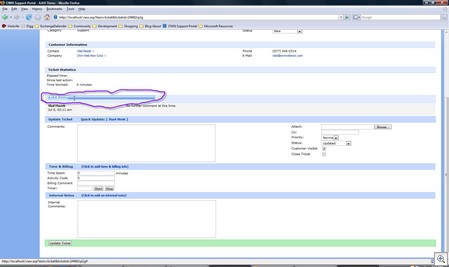
    First – you can double click on the subject of the ticket, edit it inline and automatically save it on the backend without submitting a single form, refreshing a page, navigating elsewhere, etc. This was requested by Daryl and until today I just had no way of implementing this gracefully without 8 billion controls and junk. Now I do. I should just send Daryl a bill for this one.

    Second, the most common ticket update items are visible by default. The additional (now including priority updates as well as all else) stuff is stuck to the left of the ticket update which has been bumped up to 80 characters. People seemed to want more space. I guess I just leave really small ticket updates? Either way, its bigger now.

    Third, by default both billing and new private ticket screens are now hidden. Internal feature request: 80% of the time we are not entering billable time for service support unless it takes over an hour to do. So why should it be loaded and crowding things? That container is hidden by default but when you click on a little text that says “Click here to add time & billing information” it will slide the div into the view without a reload or refresh.

    Fourth, there is now a private / internal comment textarea. Why? Turns out we have a lot more to say on each ticket update than we want to share with the customer. We do more support internally than we do externally. Ticket update externally may say “Ok, please try this again and see if it works” while the internal ticket update reads “Believe this is triggered by bug #181, do we have an ETA when that shit will be fixed?” Same concept – slide in div, if you aren’t providing an update you don’t have to load a window. 
    Sm-preview4

    Thats just a little bit of eye candy to keep you guys thinking about tomorrow.

    Cool part? 90% of the above was directly influenced by the Shockey Monkey users suggesting and voting on features in the Features tab at support.ownwebnow.com; Amazing, ain’t it? Making money in the community without having to squeeze into a bike shirt 3 sizes too small.


    VladCast Episode 8 – LA, WWPC, Humility

    Vladcast
    2 Comments

    VladCast 8, live from Los Angeles, California…. recorded quick, at about noon, cause I had to be in a data center soon. Yes, I’m that white. 

    • Los Angeles
    • Sloooooooooooow week
    • WWPC: Whats there?
    • Humility

    Play VladCast: [audio:http://www.vladville.com/media/Vladcast8.mp3]

    Add feed to iTunes  / File Attachment: Vladcast8.mp3 (2311 KB)

    The worst part of owning a business

    Misc
    Comments Off on The worst part of owning a business

    They don’t teach you stuff like this in business school. The worst part of owning your own business is sitting in your office and realizing that you can’t quickly turn around and say “Fuck this, I quit.”

    IMG_1745

    One of those days.. The only thing that stopped me from burning this place in the end was a stroll past 4 Ferrari’s in the office building. I don’t think any amount of money is worth dealing with general (or gross, complete, unlimited) incompetence, but yet again Ferrari saves the day.

    Nice view, too. If you can see through the smog thats the Griffith observatory on the right and the Hollywood sign on the left.

    Stopping WordPress Trackback SPAM

    WordPress
    11 Comments

    Spamming is a hard job. Spamming blogs is even harder. I’ll save you the colorful description of what I think of the people that do this, and as of late a particular site (universityupdate.com) has been a big thorn in my side. It’s your typical Adwords scumbag, trying to get links any way possible so someone would accidentally click on some of the ads and bring them a quarter.

    So how does one get rid of this site, or perhaps any site, you don’t want trackbacks from via WordPress? Simple, just edit your wp-trackback.php and add this somewhere towards the bottom of the script (make sure you’re not putting it inside any other if { } statements:

    if (preg_match(“/\buniversityupdate.com\b/i”, $tb_url))
    {
            wp_redirect(get_permalink($tb_id));
            exit;
    }

    Pretty simple. Save the file and you’re done. This can work in a number of ways, all that regexp looks for is presence of “universityupdate.com” string in the URL that the splogger is using. I don’t know why I didn’t do this sooner, its certainly faster than nuking a blog comment.

    It’s Road Trip Time

    Events, OwnWebNow
    Comments Off on It’s Road Trip Time

    It’s road trip time.

    I’ve wrapped all the projects, all the to-do’s, all the “can you get this done” and for once I am hitting the road without a single backlog, on-hold, pending or waiting situation on both the home and the business fronts. Getting things in order, organizing, fixing past mistakes, just… cleaning the plate. And it feels phenomenal, what a way to close a quarter.

    See you in Los Angeles or Denver. Really looking forward to getting the next two weeks done as fast as humanly possible!