The ant and the grasshopper of the networking world

IT Culture
5 Comments

I have a little Microsoft Partner fable I’d like to share with you:

The_Ant_and_the_Grasshopper_-_Project_Gutenberg_etext_19994In a Microsoft TS2 event one summer’s day a grasshopper was hopping about, chirping and singing to its heart’s content at the free soda line chatting up his big company. An ant passed by, bearing along with great toil a stack of business cards, books and conference brochures he was taking to the office, begging people to come to his user group.

“Why not come and work with my busy company,” said the grasshopper, “instead of traveling the country from conference to conference, user group meeting to networking event?

I am helping grow my company into different verticals and different markets,” said the ant, “you should come to our user group meeting and meet some great people.

Share my knowledge with the competitors, are you mad?” said the grasshopper, “I am so busy and I have no time for the groups and conferences.” But the Ant went on its way and continued to WWPC, continued to network locally, continued to build relationships through the blog.

When the winter came and the Orlando housing market fell apart, the real estate agents and their supporting law firms, mortgage brokers, builders, financiers and decorators left the town. The grasshopper had no leads, bankrupt clients on his MSP plan, aging infrastructure and no plan for Server 2008, while it saw the ants looking for new hires, spending on training and growing their project work from the relationships and leads they had collected in the summer.

Then the grasshopper went out of business.

In my years of leading Orlando ITPRO I have heard every reason under the sun why people couldn’t and wouldn’t come to the meetings. Too busy. Too exhausted. Not sharing with their competitors. Not convenient enough to go. No time to go to the conference. No patience to read a book. No time to read a blog. No use for the forums and groups. Nobody told them about the SBSC quarterly confcall. No need for Jessica Emmons. No value in JJ Antequino, nothing to learn from Rene Alamo or James Cuomo. Nothing but spam from Eric Ligman. And groups, facebooks, mailing lists – are you kidding me?

And then… the winter came. Then the economy went south. Now they want the leads. Now they want to try out the services and get into the partner program. Now they can’t get enough time in the webcasts and forums. Now they want to meet the ants they ridiculed so in the summer.

Here is the little thing about the world of networking, ants and grasshoppers. Ants are always sacrificing during the summer to network, to grow, to plan and to strategize. Grasshoppers roll with the flow, are too busy, too swamped, and see no value in hanging out with the ants. Then when the winter comes, they need those ants to survive but guess what – the ants have moved their game to the next level and are not looking back. Particularly not at the people that blew them off when they asked for the time and attention.

When times are good, attendance and memberships in IT communities declines. You’re gainfully employed, who cares about the relationships, connections and knowledge, you alreay know a ton of people. All likely in your own company or segment. And in the winter, when that segment loses interest, funding and eventually clients and salary cap you end up on the street, looking for that user group to find a new job, looking for those partners that circled the globe for some help and insight, looking..

Except now those ants that build solid businessess, relationships and connections have little to no incentive to deal with your defunct grasshopper …

When you look at the world and relationships through the ROI eyes they come back to bite you in the butt at the most inopportune time. Thankfully, you’re neither an ant nor a grasshopper, but you do have a choice of one to model your business and your work ethic around.

Backing up Windows Home Server away from Home

Windows Home Server
2 Comments

Now that most of the home data is sitting safely on the Windows Home Server it’s time to think backup strategy. It’s called a strategy for a reason – disaster is not something you want to experience but it’s an absolute certainty that it will happen so you plan.

Our truely precious family data (mostly financials, documents and pictures) are stored on Own Web Now’s enterprise storage network, that thing is never going to disappear. Until now I also used MozyHome backup service, although highly amateur and frankly substandard form of offsite backup by any measure, you cannot beat backing up a few TB of raw video and mp3’s for $55 a year. Worked fine on the workstations.

However, we’re in file server land now at Casa De Vlad, and that means backing up the server. So I tried Mozy. Woops:

Mozysucks

Mozy doesn’t support Windows Home Server. It does not even support file shares (presumably for this very reason) so no way of running it off a workstation to backup Windows Home Server file shares. Now MozyPro supposedly does the file server backup but at $0.50 / GB, I’m more inclined to trust OWN for twice the cost. So Mozy, bye, bye.

But I figured I’d try out something in the meantime. There is already a Jungle Disk Online Backup add-in for Windows Home Server which uses Amazon S3 for the storage backend. Fair enough, giving that a shot right now. It is horribly slow but…

…. but I live in Florida and I need a backup I don’t have to maintain. No tapes, no USB drives, no burning CD’s. I just want it to pick my important data and let me have access to it when Florida sinks into the ocean or gets blown over into Mexico as a result of the latest hurricane. If I wake up in the middle of the night and the house is on fire I am not running to the Home Server, I’m sacking the dog, water bowl and getting the hell out of here. And as my place is burning to the foundation, or waterfront propery on the Gulf of Mexico, or someone robbed the house, or it just turns out to be my unlucky day in the lightning capitol of the world that is under tornado warning as I write this blog post…. Lucy better be hanging out with my stuff. (If you get the Lucy reference you are way too old. So old Susan Bradley is pulling up the bands of her era from a dusty encyclopedia talking about the British Invasion)

Life with the Windows Home Server is pretty sweet. Today we spent the afternoon streaming Die Hard 4.0 from Windows Home Server to the Xbox in the living room. Katie spent the morning listening to the MP3 streams from the same.

P.S. I also owe Katie an apology for the blog earlier this week when I implied she only uses the Xbox to stream MP3’s. She reminded me that she also has two blogs, that she remained married to me even after I installed Office 2007 on her PC, that she emailed Karl while driving around the other day and I added “and you text around on your Blackjack all the time” to which she replied: “I don’t text, I email! SMS? What am I, some sort of an animal?”

Building the Windows Home Server

Windows Home Server
6 Comments

Many of you wrote in (vlad@vladville.com) with questions about the home server hardware I chose after my last Windows Home Server post. Terry Walsh also discussed moving his home server around and the Windows Home Server Blog recently talked about the new OEMs working on WHS solutions so I figured I might as well share what went into mine. Now keep in mind that this is what I went with, the options are there for your consideration and guidance but your choice should ultimately fit your lifestyle and your desired use of this server.

First of all, let me say that you buy computer hardware when its a good deal, not when you need it. Mega warehouses like NewEgg, Tiger Direct and others have blockbuster deals when they are expiring models or just have a few items in stock and you can get gear ridiculously cheap. But that doesn’t help you much, what if you wanted Windows Home Server under the Christmas tree and wanted something affordable and scalable? Get ready to bleed, tight cases ahead:

The Case

Don’t be fooled, Windows Home Server is all about the case. Moreso, it is about the right case for you! Is this server going to sit in your living room? In your home office? Above the washer & dryer? Garage? This is a lifestyle choice, one that can go horribly wrong if you choose to get a PowerEdge 2950 rackmount server cooled by an airplane jet engine and stick it under your TV. Likewise, there will be a temptation to get an HTPC case, so it can blend in with your entertainment gear, good choice until you realize most those cases come with two hard drive slots at best and will make a complete eyesore of your living room once you start daisy chaining external storage devices.

My Windows Home Server will be living under my TV next to my Xbox. So for my intents and purposes I chose a small form factor mini-tower barebones from ASUS. There are several really important reasons for this:

BIOS Fan Control – ASUS BIOS comes with intelligent and configurable fan control, meaning I can set the server to run as quietly as humanly possible to fit into my living room. Likewise, if I were ever to do any maintenance I could speed the fan up and work at 100% without fear that my system would melt.

56-999-211-01 Front expansion slots – This server has enough room to hold two 3.5″ hard drives and two 5.25 slots. So if you need four drives in your system you can get 3.5″ mounting brackets for $2.

PCI expansion slots – Most small format cases are very deceptive about the expansion slots that are built in. For example, some will mention multiple slots like 2x PCI and 1x PCI-e but what they don’t mention is that they tend to overlap. I needed at least two slots, one for the wireless network controller and one for the storage controller.

56-110-067-02 My choice: ASUS V3-P5V900 Intel Socket T(LGA775) Intel Core 2 Duo / Pentium D / Pentium 4 VIA P4M900 2 x 240Pin VIA Chrome9 Barebone currently retailing for $124. This system includes the case and the motherboard with integrated video, audio, gigabit ethernet and a somewhat lousy storage controller. Whenever possible you should avoid built in / integrated SATA controllers, especially when they are SATA-1 (150). Basically, for $124 you’re just left looking for processor, ram and hard drive, all of which are very subjective.  This case is just over 14 inches high 7 inches wide so make sure you measure your entertainment center if thats where it is going. I chose a mini-tower / small form factor PC because I figured the storage demands would grow and the easiest way to expand the storage capacity is to attach those external RAID enclosures with their own power supply. They are roughly the same size as this case. Also, the CPU fan exhaust is on the left so make sure there is ample room there for hot air to be blown out. (feng shui tip: if you nail this against wall/wood/metal/glass on the left it will pack the heat back over the CPU and subject your system to overheating and fire, or in feng shui: super very extra bad!) Cost: $124.


The Processor, The Memory, The Hard Drive

You can be as cheap or as fancy as you want here. This system comes with two DDR2 slots and socket 755 which can hold anything from a low end Celeron that can be obtained for less than $50 in a retail package with fan & heatsink all the way up to multicore Core 2 Duo processors. Memory runs at 667 MHz and can hold two slots for total of 4GB.
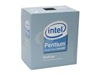
19-116-036-03 I went with a rather conservative setup. For the processor I picked Intel Pentium E2160 Allendale 1.8GHz 1MB L2 Cache LGA 775 65W Dual-Core Processor because it was the cheapest dual core processor. Cost: $82. For the memory I went with just 1GB DDR2 module WINTEC AMPO 1GB 240-Pin DDR2 SDRAM DDR2 667 (PC2 5300) Desktop Memory Model 3AMD2667-1G2-R, again cheapest possible match on the clock and comes with the heat spreader. Cost: $19. Finally, the hard drive: Western Digital Caviar SE WD5000AAJS 500GB 7200 RPM 8MB Cache SATA 3.0Gb/s Hard Drive. Cost: $99.

The storage issue is the biggest swinging point. Do you go with 1 TB or two 500GB? Do you assume this will be the sole storage point of all your precious digital media (in which case you’re buying double for redundancy) or is this simply a backup point (in which case the bigger the better)? How many people and at what frequency will the data be accessed (buffer size, storage architecture, etc). The choice is yours.


The Storage Controller

This is probably more important than all of the above: storage controller. This is the piece that assures your data integrity, storage scalability and the storage selection to begin with. The case I chose came with 1 IDE and 2x SATA1 (150) ports. Aside from CD/DVD drive, I would not rely on those ports for storage. Onboard controllers have a staggeringly high failure rate and once that fails you may as well throw the entire system away.
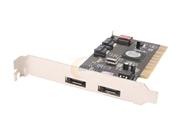
16-124-003-07 I chose the SYBA SD-SATA2-2E2I PCI-X SATA II Controller Card controller for a few reasons: price, convenience, expansion. For under $40, this is hardly a gamble when it comes to storage. Second, it comes with two SATA-2 (3 GB/Sec) ports so my data will fly. Second, and most important, this gives you two eSATA ports. I can use this in the future if I need to provide additional storage or if I want more highly redundant storage – RAID 10 anyone? I am not a fan of USB hard drives, so for me this was a must. Cost: $40.


Accessories & Extras
32-116-395-01 I would not consider these to be essential but I wanted to give you an idea of what else went into it. I was not sure if this server would live in the living room, home office, or somewhere without Ethernet connectivity. So I got a wireless controller GIGABYTE GN-WP01GS IEEE 802.11b/g PCI Wireless. Cost: $16. Even though my retail processor came in with thermal compound of its own, I always replace it with something more appropriate for Florida weather: Arctic Silver. Cost $6. Finally, a copy of Windows Home Server software.


Conclusion

For a little less than the HP MediaSmart server (on sale for $599) I got a heck of a lot more for the grand total of $559, with more RAM, faster processor, expandable storage and components that I can swap as I please. Extra storage of 500GB would have cost $99, 1TB for $270. Extra memory would be $19 for 1GB, $36 for 2GB extra sticks. Total cost: $559. Not bad!


Twitter, Explained

IT Business, IT Culture, Web 2.0
4 Comments

Sometimes it takes me a while to figure out the value in certain things. I’m so inundated with stuff that I almost subscribe to the mantra that everything is crap until it proves otherwise. I remember that, after giving Twitter a brief look I proclaimed it to be:

“Twitter: Your lack of social skills, documented.”

I stand by that remark, it was made in the context of the majority of the subscribers which happen to belong to and/or first adopted by the MySpace generation. Really, I don’t care where you’re having lunch today, where you found a Wii, how long the line at Fantasmic is, or that you just saw someone wipe out on I-4. Really, I don’t.

On the other hand, Twitter has some relatively cool features that have caused me to take a second look, particularly given the nagging. First, it can be updated from anywhere, using anything (well, apparently except T-Mobile) including SMS, Vista Sidebar gadget, web, etc. It is lightweight, realtime, and allows for private updates – that is, my lack of life is not broadcast to the Internet at large, just the people that subscribe to my feed.

So how could this potentially ever be useful you may ask? I work with about 200–300 people on a daily basis, give or take. Quick look at what they are doing is very important (and valuable) to me. For example, is anyone cool coming to Orlando that I can take to dinner? Anyone working on something that I need? What is everyone up to internally, are any fires burning that they are talking about but not letting us know? Did the earthquake knock out our data center?

I generally just skim the Messenger taglines and see what folks are up to, but Messenger just shows the latest update and it is hard to update, it is only updated by people when they are at their desk instead of at the client, at the back of the data center, landing at LAX.. Here is what I am using:

I have a Twadget Vista gadget for the sidebar installed at work and on the laptop. I have my feed integrated into Vladville for my fans (pull up www.vladville.com look on the right hand side right under the SBS Show) using Alex King’s Twitter Tools slightly modified. And of course my Twitter is at http://twitter.com/vladmazek

So, I’m giving Twitter a second shot.. If you’ve got a Twitter account and you’re on my Messenger list drop it to me please…

How can you get people to read your corporate blog?

IT Business, IT Culture, SMB, Web 2.0
2 Comments

Got this one in the email today:

Hi Vlad,

Love your blog! I don’t believe in the community stuff but you always brighten up my day and I would appreciate your advice. I started a blog for my business but my customers are not reading it. How did you get your customers to read yours?

Love that you don’t believe in the community but have no problem contacting me for free advice. That notwithstanding, it’s a good question. I don’t know that I am a good person to answer it, considering that I have not even been able to motivate my clients to read product documentation. Blogwise, it has allowed us to eliminate the advertising budget. So, here goes nothing:


There are a few harsh, ugly pieces of reality you have to come to terms with before you can get yourself in a frame of mind where your can make the kind of a blog that your clients will read much less agree to: You are not interesting. Given an option, your clients would replace you with a robot at best or Microsoft clippy at worst. Nothing about you is authorative or expert, you just fit into the economic tradeoff window between them doing it on their own or outsourcing it to indianinabucket themselves. Given the option of watching you struggle through the third-grader level writing skills or climbing onto their desk in high heels to sweep the dirt collected on their office fan, they would probably choose the latter.

Now that we’ve obliterated any sense of supposed literary expertise and industry insight you’ve deluded yourself into thinking you posses, let’s get back to the basics. Why did the clients hire you in the first place? If you don’t know, ask them. It could be that:
1. I was the cheapest
2. I was the most qualified for their niche / vertical
3. I seemed to address the problems they were having

Now, ask why they are still your clients, could it be that:
1. We rely on you to cut through the clutter of technical jargon
2. You are the most familiar person with our network, one of the family
3. Still the cheapest, and we don’t have to learn how to speak dot

It may seem like I threw in the “cheap” options just to insult you. No way. The amount of businesses that do not consider technology to be the vital core of their business far outnumbers the number of businesses that are willing to spend the immense amount of money required to get it right. In other words, there is a ton of money to be made trying to save people money than to take their money to build a castle they don’t need. Their money is still green, so why be ashamed of that? Why not be proud of the fact that you can make miracles happen on a tight technology budget?

That is called defining your key competence. Once you find your key competence, write about it. Remember that you are not an expert, you are just talking about what you do. It’s all common sense after all, but the lightbulb only goes off once someone shares that common sense with the person that is having a problem and not seeing the common sense solution to it.

Now you have this library of stories on a particular topic, now you are in Google, now you’re starting to establish yourself as someone that has spent more than 2 minutes thinking about what they do. Now you can claim to be an expert. It still doesn’t make you an expert but who is the judge of that? The tons of people that come to your blog and look at your insight of restating the obvious.

Now you’ve got a following. Now even the people that are not your customers are interested in working with you. Now you have your customers following your blog because you didn’t have to force them to come to it, they came to you because of your blog. Keep it up.

What about the ones that don’t want to read your blog? Make them. There are many creative, sneaky or outright weaselish through incompetence ways of doing it: I started posting documentation and tips on my blog because I lost the password to our web site and didn’t want to admit it. When people asked for some info, I sent them to our blog. They read, they subscribed, now they cannot get enough of it.

The overall success comes from balance. Balance of fact and opinion. Of freebies and commercial messages. It takes discipline, it takes time and the results are anything but immediate – but wow, are the results spectacular.

Communications Server: Please don’t take it personal

Friends, IT Business
Comments Off on Communications Server: Please don’t take it personal

Last weekend we rolled out Office Communications server to go along with our existing Exchange 2007 and SharePoint infrastructure. What an awesome, awesome product. Unfortunately, bringing in IM on a wide-scale like this to the entire company calls for some rules and I need to play ball as well which means pruning a few hundred contacts out of my MSN contact list and keeping it business only.

I hope I don’t offend many of my friends and associates with this move, it’s not that talking to you is a giant waste of time, I just need to limit my corporate exposure to our clients only in much the same way that I wouldn’t take a personal cell phone and chitchat while people expected me to be working.

Anyhow, I hope you don’t take it personal. I will still read your email if you need to get in touch with me throughout the day! 🙂

P.S. If you’re paying us, you’re staying on the list. If we are paying you, you’re staying on the list. If you’re not paying us and we’re not paying you, you’re off the list. Update: If you are paying us and you don’t have any of us on your contact list but use MSN or AIM.. contact me and I’ll make sure we get you on.

Geek Weekend

Misc
Comments Off on Geek Weekend

The upcoming weekend, in no particular order:

  • Organize the Microsoft UM/UC event in Orlando
  • Bug hunt the bug fix release of ExchangeDefender
  • Tape the buildout of the Hackintosh
  • Post the Exchange 2007 SP1 screenshots and the new Activesync policy pushed to the device as a result; talk about new limits
  • Draft the damn support portal code of conduct, internal or external.
  • Hook up Xbox 360 to the Home Server
  • Flash Katie’s phone
  • Get a bigger grill

Now I realize there is going to be a bit of skepticism as I say this, given that its being posted at 1AM, but how organized is your life? In the long long ago, I would get my few hours of sleep and as soon as I got a chance to relax and close my eyes another idea would pop into my head. I’d run back to the office to try it just for a minute, and three hours later I was back in bed. Repeat.

I mentioned this bit of insanity/insomnia to Karl and he asked if I ever thought about keeping a notebook next to my bed to just write things down and then attack them in the morning.

That little bit of “why are you an idiot, Vlad?” has saved me a few years of life, a little bit of sanity and then some. And now I’m passing it on to you. Enjoy.

Drinking With Dave in Vegas Conference

Friends
2 Comments

Also known as CES and I’ll be there. It will likely be my only conference of 2008 with the TechEd being the last minute call, so if you want to get your dose of Vlad, find your way to Las Vegas between 9th and 12th of January.

I know Karl will be there as well, at least according to my wife who figured it out while driving down I-4 and texting. Yeah, I married well 🙂 So now we just have to get Erick over there and figure out a way to get Pablo to come over.

Though drinking is just not the same when its not on Microsoft’s dime, how can we get Paul Fitzgerald to drop by?

This blog post is powered by Microsoft Nothing 2008, with Susanne Dansey PowerPack for Microsoft.

Pride

OwnWebNow
Comments Off on Pride

As another year comes to a close I can’t help but feel an immense sense of pride in all that we have been able to do with Own Web Now this year.

Some of it sucked. ExchangeDefender v3 overhaul which saw the most instability I have ever seen on a network (then again, I’ve never seen/worked on a network this large) and the v3.1 upgrade which helped us please our MSP partners and stay a step ahead of the threats. In May we had a rough time getting AhSay to scale with what we were trying to do, failed backups are never a pretty thing. Communication, communication, communication and billing, billing, billing – still the two outstanding nightmares that keep me up at night.

Most of it rocked. We opened new data centers. We launched the record four new product lines. We automated an ungodly amount of processes. We opened new offices. We started doing business in new countries. ExchangeDefender is bigger than ever and better than ever – in spite of the amount of junk mail quadrupling we have been able to lower the amount of SPAM our customers see by 48% in 2007. The Offsite Backup offerings let us take our network and data center operations to a new level – no longer dealing with tapes, no SANs or all-in-one bucket (SAN in the same rack as all the other systems) pitfalls, we have a true distributed storage platform so when you plug your server in you don’t need to worry about it. The rise of virtual services has been explosive, we now host more SBS than anyone on earth and at $99 a month we’re delivering customers the SBS experience that costs thousands of dollars to do in house – and we do it same day!

This did not happen as an accident or without sacrifice. I have given up my Paris Hilton lifestyle of being at every conference and every event. We’ve cut a lot of webcast, podcast and digg.com shenanigans. Our marketing efforts are nearly non-existent. I had to take a break from Shockey Monkey and Thieving Weasel development. Public facing IM, inbound and outbound calls and lots of other interruptions and distractions had to go as well. More focused DC development activity and scalability planning nearly crushed additional NOC plans. All so we can get Own Web Now to where it is now.

It’s been a hard year. I think we mostly made the right decisions and my only regret is that we didn’t work harder.

So now we sit around and straighten out our billing, beef up our documentation… and brainstorm… How do we do better in 2008?

Dell Me-too’s a Tablet, Dead on Delivery

IT Business
2 Comments

Yesterday Dell me-too’ed tablet, joining the phenomenally unsuccessful line of computer genre soon to be in your basement under the pile of books you never read. Too expensive for consumers, too overpriced for anyone else and too ugly for a picture frame.

It’s not all bad news, comes with a battery that can run for nearly 10 hours.

parker-latitudext

Lot’s of pictures here. If it weren’t bad enough that these gadgets are still very limited appeal with a puzzling throwback to the old tales of the future where we’d be able to write and talk to computers one day, these brickies come with a $2,500 price tag.

Nice try for 2002. Dell is not Apple. Michael, why don’t you wake us up when you can get it under $500.