The week ahead

Events, Misc
Comments Off on The week ahead

Ought to be a busy week coming up. In addition to the PSS show that is coming up this week I'm set to release a number of new documents as well as a new "service" based on something that has been annoying me for a long time. Tomorrow: SBS Show with Inside SBS PSS crew Monday/Tuesday: Guide to Organising An IT Group – if you've wanted to start or manage an SBS/ITPRO group this will be THE doc to read. Exchange articles: – Working on customizing IMF v2. – Disabling specific users from sending mail – Understanding smarthost and smtp routing / route costs – Publishing your SPF Records – Implementing ETRN (related to that smarthost article) … and more than that. Also remember that we're now doing two SBS Shows a week: This week in SBS and SBS Show on weekends. It's going to be an interesting week, I look forward to the feedback on these new articles and anything else that comes up.

Vladville giving Thanks

Podcast
9 Comments

Well its Thanksgiving and a very important turn for Vladville the blog. This is post number 200 and the blog is about to cross into its 4th month of existance. So far I've averaged 31,000 sessions per month and managed to piss off some very important people and motivate counltess others to understand Exchange/SBS better and get involved in the IT Pro community. My Exchange articles have been downloaded collectively over 29,000 times and my SBS Show podcast has been downloaded over 65,000 times. Here are some important milestones:

  • SBS Show Podcast #3 downloaded 16,000 times in its first week out.
  • SBS Show downloaded over 65,000 times in under 1 month.
  • I answered an Exchange support question on Exchange to a gentleman from India.
  • I answered an Exchange support question in a foreign language to a Serb from Canada.
  • My Exchange articles have been downloaded 29,000 times.
  • SBS Show #3 and #4 generate 40 incoming voicemails and a dozen email questions.

So thanks to Susan Bradley, thanks to Susanne Dansey for promoting me world-wide, thanks to Jeff Middleton, Anne Stanton, Tracey Daugherty, Guy Haycock, Charles McCubbin, Ron Gandiza and Brian Kruse who supported the Orlando IT Pro association, my Microsoft buddies (Greg Boyd, JJ Antequino, Blain Barton, Rene Alamo) that didn't hang me upside down by my balls when I told them I'm considering Google's offer, Beatrice Mulzer for putting me in her books and smacking me around for doing too much free stuff, as well as Mike Iem and Eric Ligman for supporting the little partners in Florida, Albert Churba and Dave O'Keefe for helping with OWN every time I asked and Katie for supporting everything I do till 5AM. Thank you personally and thank you on behalf of the concerns and community that Vladville represents.

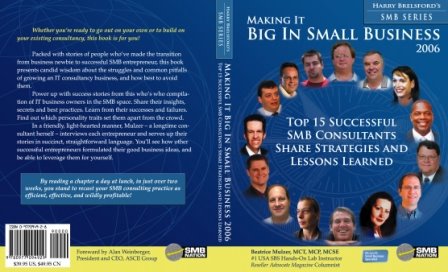
Beatrice’s New Book Is Out

IT Culture, System Admin
8 Comments

And yes, thats me right next to Harry. I had dinner with Beatrice and Harry about a month ago and I was quite happy that they decided to put me right next to Harry. I'm not sure exactly what I said but Harry's response was: "Yes, you're my right hand man." Joke aside, its quite an honor to be recognized as one of the top SBS consultants. As you can see by this blog, SBS is something I do 15-20 hours a day and if you're so inclined you can get the book and see how we've built a small empire at OWN using SBS. You can buy the book at smbnation.com and find out what all the other guys are up to in the SBS world. I was talking to Roger Otterson yesterday and he brought up the point that we all get together because we are techies, where we can really help one another is in the business. This book is about business and you need a copy.

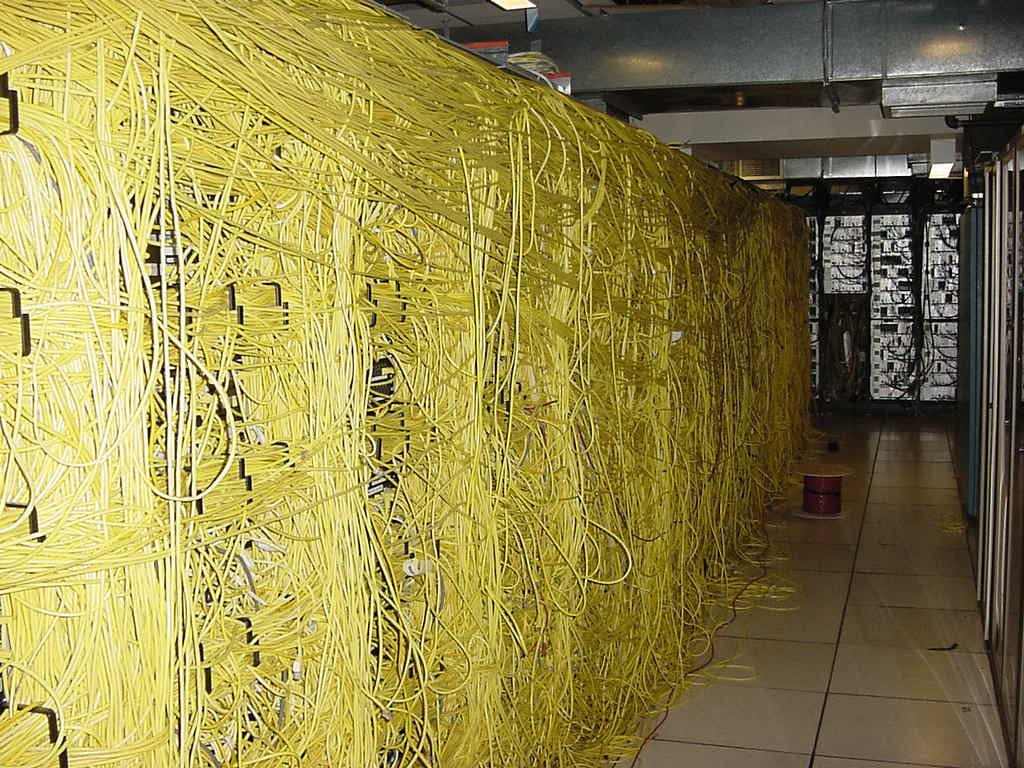
A day in a life of a sysadmin

Misc, System Admin
1 Comment

Well, it could be worse… I could be a network admin… Did a huge presentation on Linux for our group, in the usual Vlad style – from concept, through installation all the way to the catch. Everyone seemed to like it, especially Microsoft. Told you guys to trust me! Waited in the line, didn't get the Xbox. Now I'm lurking on eBay with Eric Ligman trying to find a buy-it-now. What a day.

December Webcasts

Events, Microsoft
2 Comments

Eileen Brown, your technical webcast concierge, is coming through again with a long list of good webcasts to take up your lunch hour (at least if you're on the east coast). Office Webcasts for December Real Time Collaboration Webcasts for December Portals Webcasts for December Messaging & collaboration Webcasts for December MOM & SMS Webcasts for December Mobility Webcasts for December If I had to narrow it down to two.. Exchange Server 2003 Service Pack 2 (Level 200) and Managing Windows Mobile Devices with the Messaging and Security Feature Pack (Level 300)

Internet Explorer Exploit

Security
4 Comments

According to SANS: The UK group "Computer Terrorism" released a proof of concept exploit against patched versions of Internet Explorer. We verified that the code is working on a fully patched Windows XP system with default configuration. The bug uses a problem in the javascript 'Window()' function, if run from 'onload'. 'onload' is an argument to the HTML body tag, and is used to execute javascript as the page loads. Impact: Arbitrary executables may be executed without user interaction. The PoC demo as tested by us will launch the calculator (calc.exe). Mitigation: Turn off javascript, or use an alternative browser (Opera, Firefox). If you happen to use Firefox: This bug is not affecting firefox. But others may. For firefox, the extnion 'noscript' can be used to easily allow Javascript for selected sites only.

Get ready for Windows Mobile 5 and MSFP

Mobility
5 Comments

Our friends from UK are providing a course on Windows Mobile 5 and MSFP. This is a partner only event (because lets face it, as a consumer you don't have access to MSFP anyhow) so if you're selling WM5 this is a place to be. Earlier this year we ran a very successful series of workshops on Exchange mobility. People have been busy beavering away behind the scenes and we have updated the course for all the great new functionality that is provided by Exchange 2003 Service Pack 2 and the Messaging and Security Feature Pack for Windows Mobile 5.0. Dates for this course have now been published and you can sign up via the link below. Registration URL: www.microsoft.com/uk/partner/readiness/Exchange/CME2003 Course Description: The aim of this workshop is to demonstrate how Windows Server 2003 Exchange Server 2003 sp2, Windows Mobile Devices with Windows Mobile 5 & the Microsoft Security Feature Pack, can work together to provide a complete solution for mobile messaging and collaboration. After attending this workshop, the student should have a better understanding of the various components used to deliver a complete mobile solution without middleware and understand the technology used to deploy this in various customer scenarios. Please note that this course is only for Partners in the Microsoft Partner Program. Update: Fixed the link to the reg site. Sorry, bad day. Thanks to the anonymous coward for pointing this out.

Susan is alive – MSMVPS.COM “getting psyched”

IT Culture, Misc
2 Comments

So Susan's blog sends back a few 503's and the entire SBS population migrates over here. Welcome, sad to disappoint ya, not much going on in the SBS world today. I'm helping with the upbringing of yoda.msmvps.com server at the moment and hopefully it will be up shortly. The previous semi-dedicated box just could not handle all the SBSers out there. Stay tuned, it will be up. In the meantime, munch on this: Exchange 12 will allow for file-sharing via RPC-over-HTTP protocol — same way you securely sync up OutlookExchange at the moment. Update: It's ALIVE!!!

Hello Orlando

Uncategorized
12 Comments


First of all, thank you for coming out for the TS2 seminar yesterday – 100 plus in attendance, way to go. We are currently soliciting input on the presentation in our Orlando IT Pro mailing list, feel free to speak your mind. For those of you that missed it, JJ Antequino (our local Microsoft TS) presented the seminar and I helped along with the Exchange SP2 presentation. Sorry for the smoke and mirrors, the laptop had SP1 but I doubt any of you would be installing that or IMF at this point so here is what went down.

Exchange SP2 Installation
I did a quick improv of Exchange SP2 to get you started with this service pack. As I said when I got started — If there is only one thing you write down from this entire speach, please remember to remove the IMF if you have installed it already. The SP2 setup automatically detects and warns you to remove it but I have received a number of responses where that does not happen. Click here for the article and remember that the store is flexible — its not 75GB or nothing, you set the limit yourself.

IMF v2
Also remember that IMF v2 does not turn on automatically. You have to enable it manually. Click here for the article. Likewise, if you do turn it on and select archiving make sure you have software to access the archive. It sits in
C:\Program Files\Exchsrvr\Mailroot\vsi 1\UceArchive – you need this directory when you setup IMF Archive Manager so you can go through and prune your archives. One of the partners spoke about how he left it in archive mode and had 80,000 messages in the quarantine by the time he got to it. So if you archive, make sure you prune.

P.S. Just to state it again: Exchange SP2 (and SharePoint SP2) are already out in production and they are both free. If you’re in the SBS land you do not need to wait for SBS R2 to deploy these solutions. The slide you saw was just detailing what will be included by default in R2.

Orlando IT Pro
I spoke briefly about Orlando IT Pro, I will be sending invitations to you shortly, wanted to get this out since I’m sure you’re anxious to the Exchange info first. As I mentioned, that was not a spam signup list – I will send you an email with an invitation to check out the Orlando IT Pro group and if you like what you see you can join our mailing lists and come out to our monthly meetings. Yes its free and so is pizza. The next meeting is on Tuesday, Nov 22 at 6PM.

SBS Show
Also spoke briefly about the SBS Show, if you’re in the small business consulting or doing anything with computers you need to listen to this stuff. You can get it here.

Thats all. Please, feel free to forward over questions. I know I couldn’t field everything yesterday but I am not hard to track down. Please feel free to browse the blog for the incentives we spoke about and touch back with JJ if you have any input or questions for the TS2 team.


Exchange 12 Notes

Uncategorized
2 Comments

First of all, thanks to all of you who made your way to our TS2 presentation. Hopefully you enjoyed the show and my Exchange presentation demystified IMF v2 for you a little bit. I am sure the next quarter’s presentation will have fresh installs of SP2 for Exchange and SharePoint so I don’t have to freestyle. We’re taking the feedback in the Orlando IT Pro group for JJ Antequino (Microsoft Presenter) so please post if you think they can imporove in some way.

I will be posting an updated list of clarifications, corrections, etc as promised. There are over a hundred folks out there and I have a jammed inbox. I promise I will get to you tomorrow.

In the meantime, here is some cool reading material. Steven Bink has attended Microsofts IT Forum 2005 in Barcelona and below are his random notes on Exchange 12 which was heavilly discussed during their seminars. Steve has really nailed down everything they said about E12, down right to the video.

Role based deployment:Egde, Mailbox, Routing, client Access etc. So no more need of OWA files or pub folders on all servers
50 Storage Groups total
50 databases total
Page size from 4k -> 6k
IO and large Mem optimized
Target 5MB RAM /user
Full commandline support (Monad)
ESM completly re-written from scratch
90% of new code is managed code
Faster server startup
No more STM files!
14 day dumpster by default
Enable Large, low cost mailboxes
E12=0.25 IO/sec (Ex2k3 1.0)

Logfiles limit 2 billion
Low impact fast re-index
Multi mailbox search
Works with OL and OWA and Mobile Outlook
Local continuous backup, no tape needed
Remote continuous backup
Reduced TCO
Fast recovery (minutes)
No more PST’s! expensive, legal risk.
Managed email folders, corporate assigned folders
Outlook Voice Access
Branding: Demo’s used Beta1 named Exchange 2007
Binaries are version 8!
Only 64 bit, reported 1st by Bink.nu few months ago 🙂
No active/active cluster support
No more OMA support
NTTP?
Last version with public folders
Access intranet and files outside the office without VPN

Update: Page size is actually being upgraded from 4k to 8k according to the ESEdev team reply to this post.